Build your submission form
Updated November 12, 2026 · 1 min read
Your submission form is where writers apply to a call. Keep it focused on what you need to assess their work and run the process.
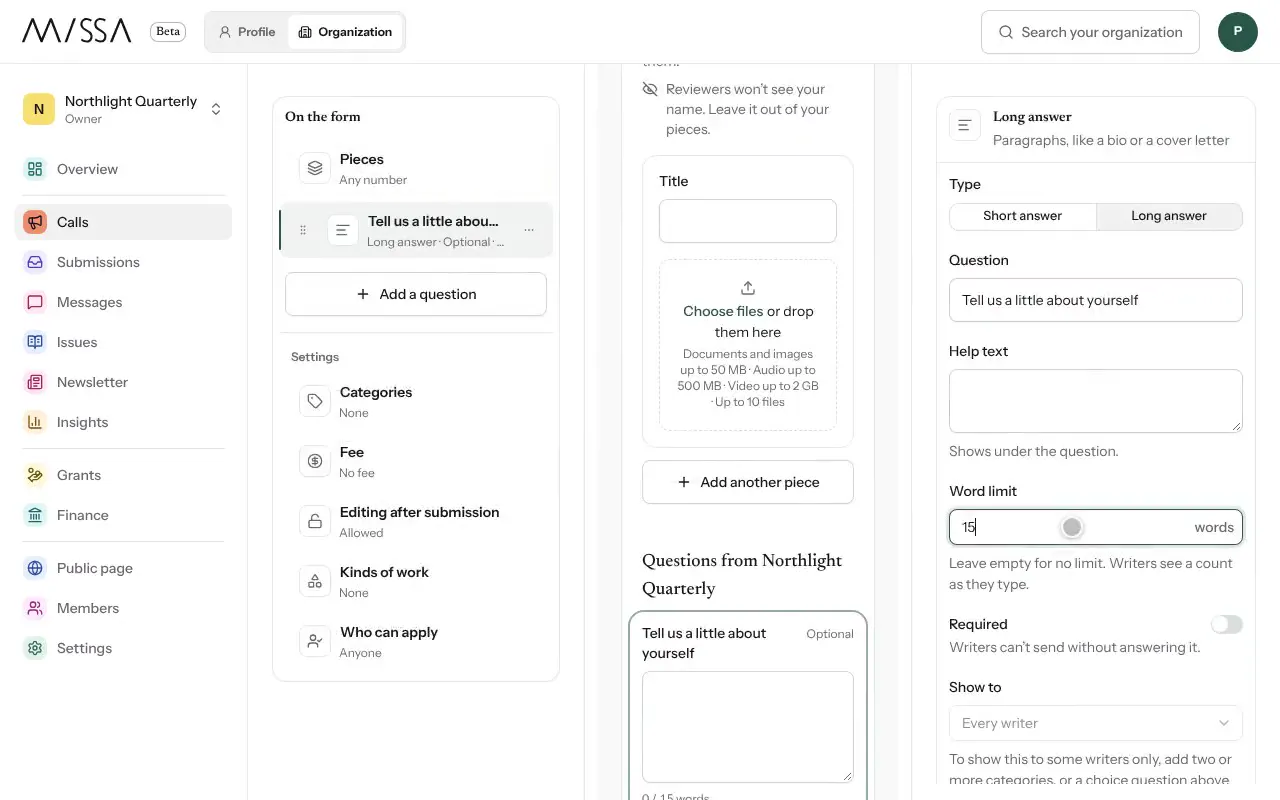
Open the call and select Submission form, then Open form setup.
Select Add a question and choose Long answer, Choice, File or Link.
Write the Question. Add Help text or a Word limit where useful.
Under Settings, set Pieces, Categories and Fee.
Test the form in the preview, on Desktop and Phone. Anything entered in the preview isn’t saved.
Select Save changes.
Before you publish
- Ask for only what you need. Every extra question takes time to answer.
- Unless you need multiple formats, consider asking for one PDF or Word file.
- Test the phone layout as well as the desktop layout.
Good to know
Changes to the form apply to new submissions. Writers who have already started keep the version they began with.
Was this article helpful?