Create a call
Updated November 12, 2026 · 1 min read
A call tells artists what you’re looking for, who can apply and how to submit. It stays private until you publish it.
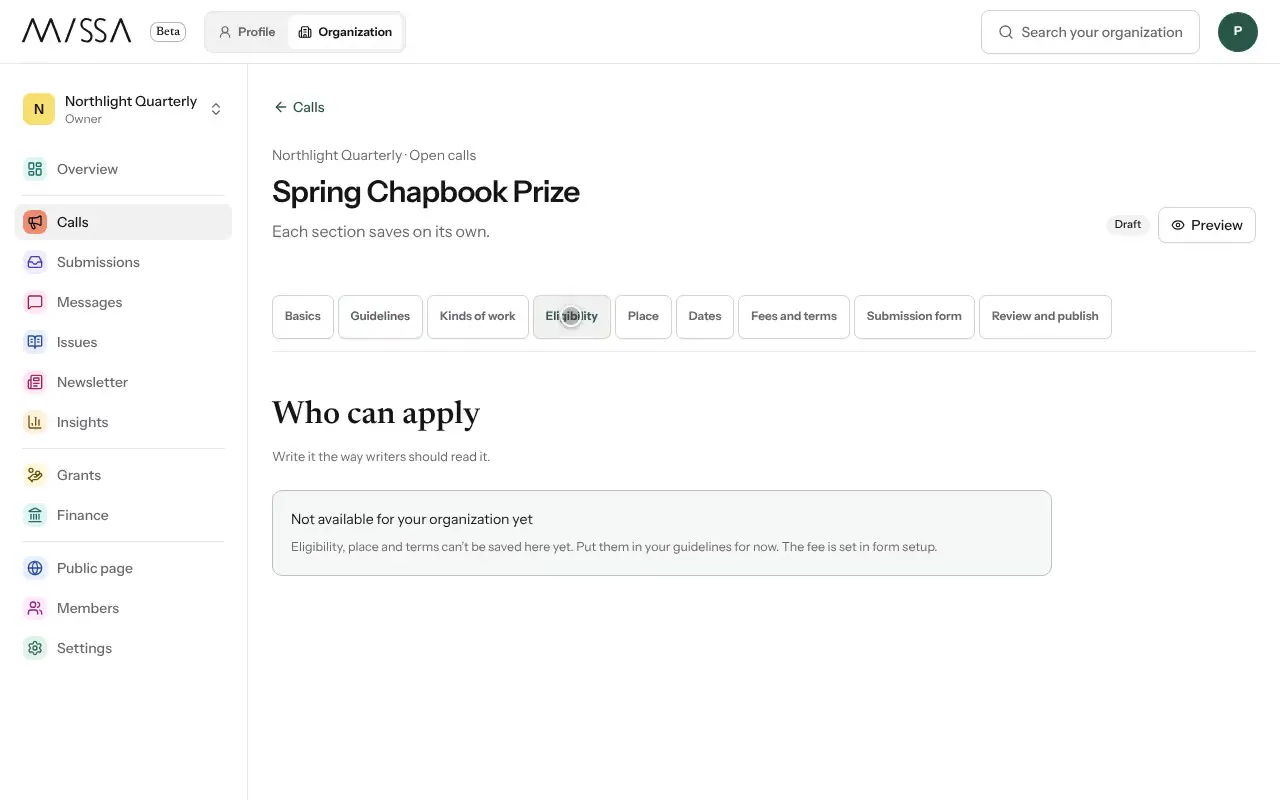
Open your organization and select Calls, then Create call.
Choose the Type, enter a Public title writers will recognize, and choose a Program.
Select Create draft.
Under Guidelines, add your guidelines link and write the information writers will see on the call page.
Open Submission form to build the application form. See Build your submission form.
Open Review and publish, then select Publish call.
Write a useful call
Tell writers what you’re looking for, who can apply, the deadline, any fee, what the call pays and how long you’ll take to reply. Explain the rights you’re asking for and when they return to the writer. If you charge an entry fee, say what it covers and how writers can request a free place, if available.
Good to know
- Eligibility, geographic limits and rights can’t yet be saved in separate call fields. Include them in your guidelines. Set the fee in the form.
- If you claimed a listing already on Missa, connect it under Listing on Missa. Writers who saved the listing can then see your decisions in their Tracker.
Was this article helpful?