Plan an issue
Updated November 12, 2026 · 1 min read
Use Issues to plan publication, assign work and track every piece scheduled for an issue.
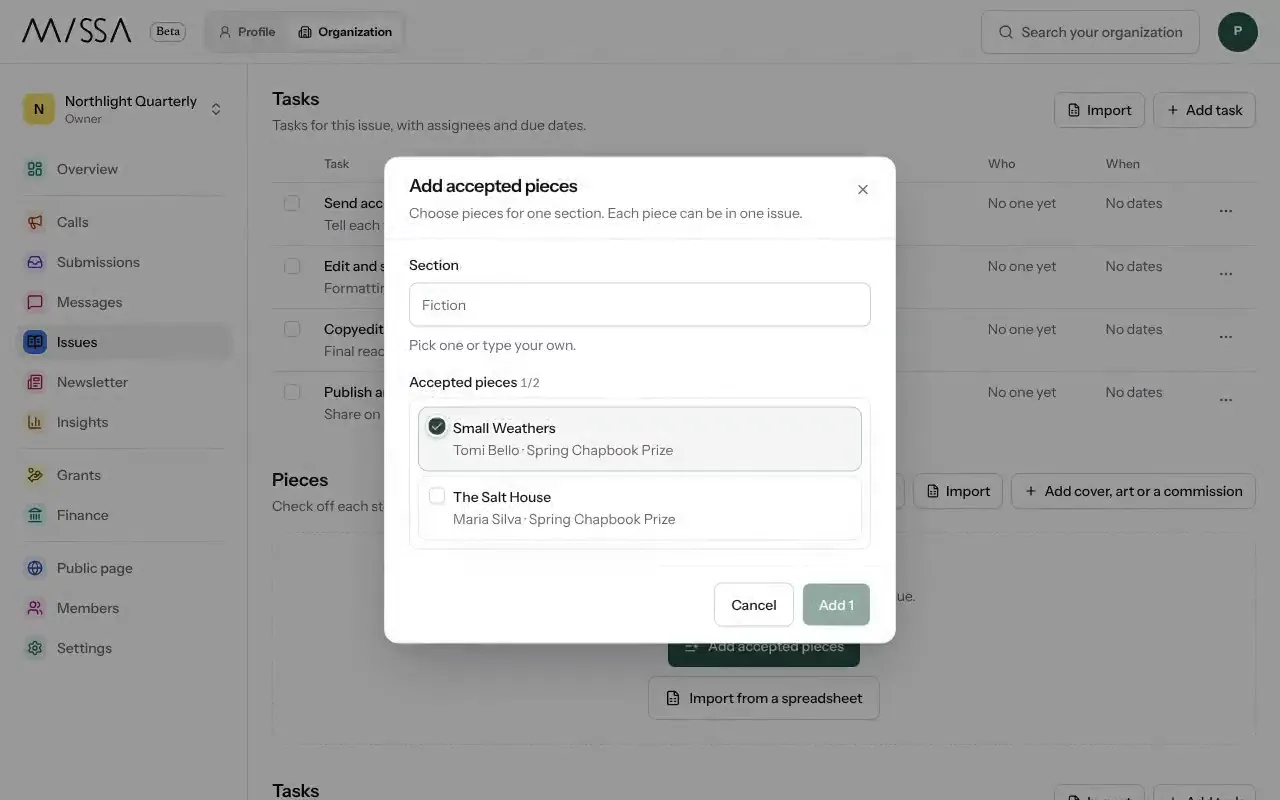
Open your organization and select Issues, then New issue.
Enter a name and, if you know it, the publication date.
Leave Add a four-week task plan on for a starting schedule covering acceptances, edits, copyediting and publishing, then select Start issue.
Select Add accepted pieces. For artwork or commissions, use Add cover, art or a commission.
Assign tasks and due dates to your team. Each person sees their work on their Issues page.
Planning advice
Start an issue when you accept its first piece. Give each task an owner and a due date, and let writers know when to expect edits, proofs and publication.
A piece can belong to only one issue. You can import an issue plan from a spreadsheet.
Was this article helpful?