Publish your profile
Updated November 12, 2026 · 1 min read
Your profile is your public page on Missa, with your work, bio and contact details. Nothing goes live until you publish it.
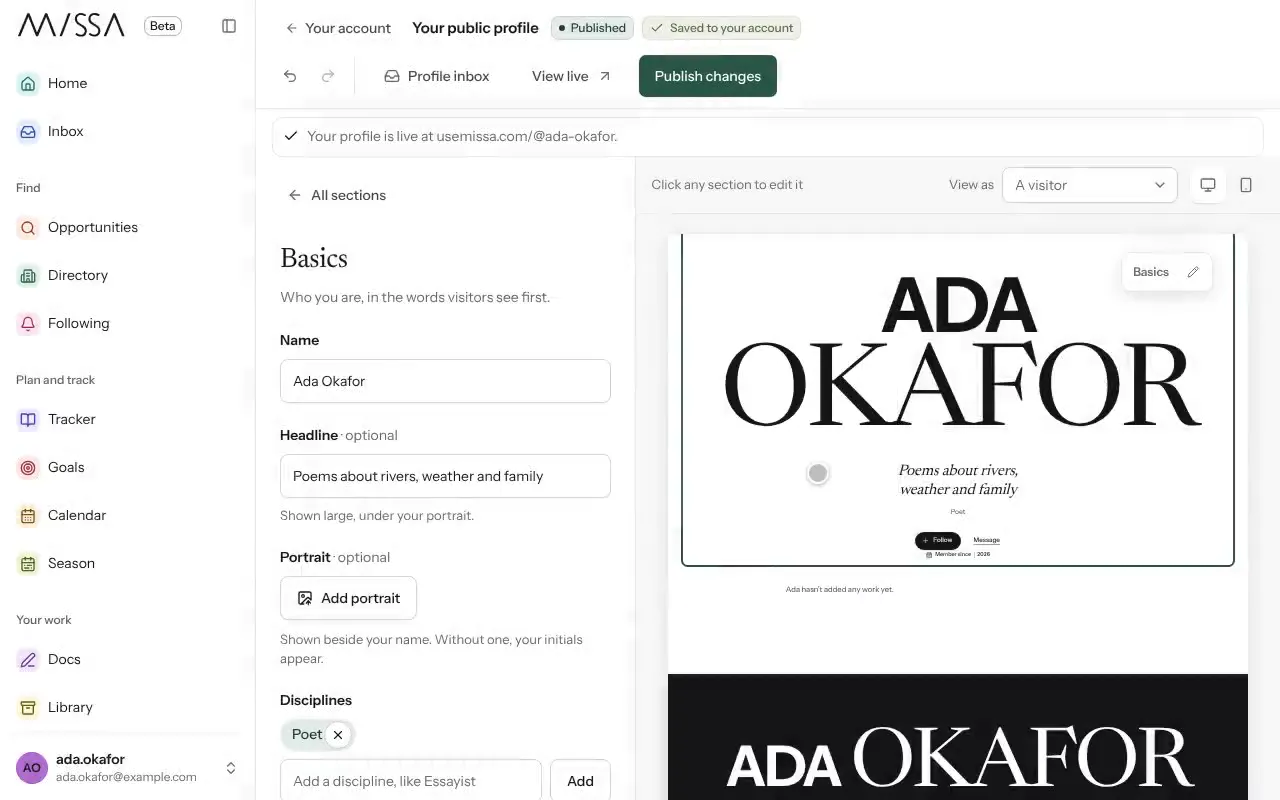
Select Profile, then Build your public page.
Follow the Setup guide or open any section to edit it. Changes save as you go.
Check the preview in both computer and phone views.
Select Publish profile, then Publish now.
After publishing, use Publish changes whenever you want edits to go live.
Before publishing
Keep your bio current and put the work you most want people to see first. Check the phone preview for layout problems.
Good to know
- To change your Missa profile address, select Change profile address. Old links continue to work.
- Select Unpublish to hide your profile without losing the draft or address.
Was this article helpful?