Upload files
Updated November 12, 2026 · 1 min read
Add writing samples, portfolios, budgets and other documents to Library so they’re ready when you need to apply.
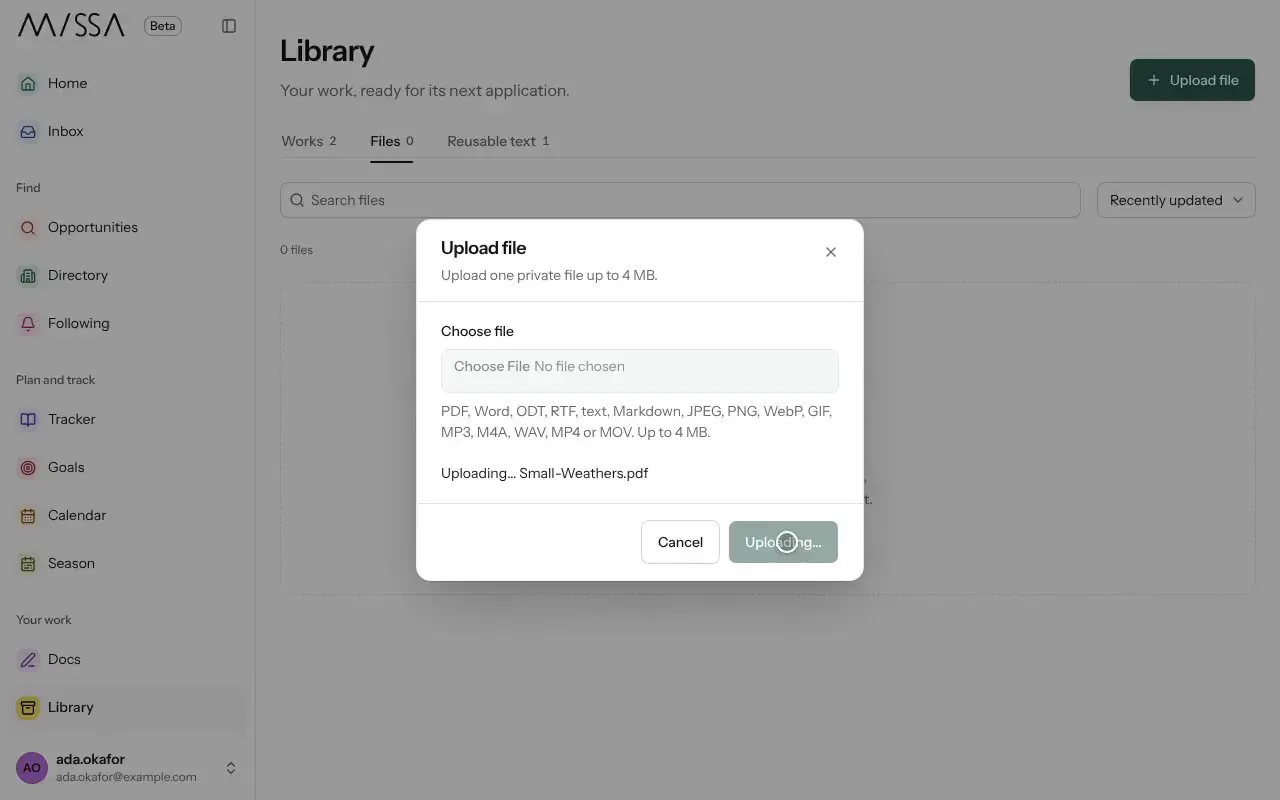
Open Library and choose Files.
Select Upload file and choose a file.
Link the file to a piece so you can find it with that work.
Use descriptive file names, especially when an organization will receive the document. A PDF is often useful for preserving layout, but always check the call’s accepted formats.
Missa checks uploaded files before they can be opened. Available storage depends on your plan; Library shows how much you’ve used.
Was this article helpful?