Send agreements and pay writers
Updated November 12, 2026 · 1 min read
After accepting a piece, use Missa to send an agreement, collect the writer’s signature and arrange payment.
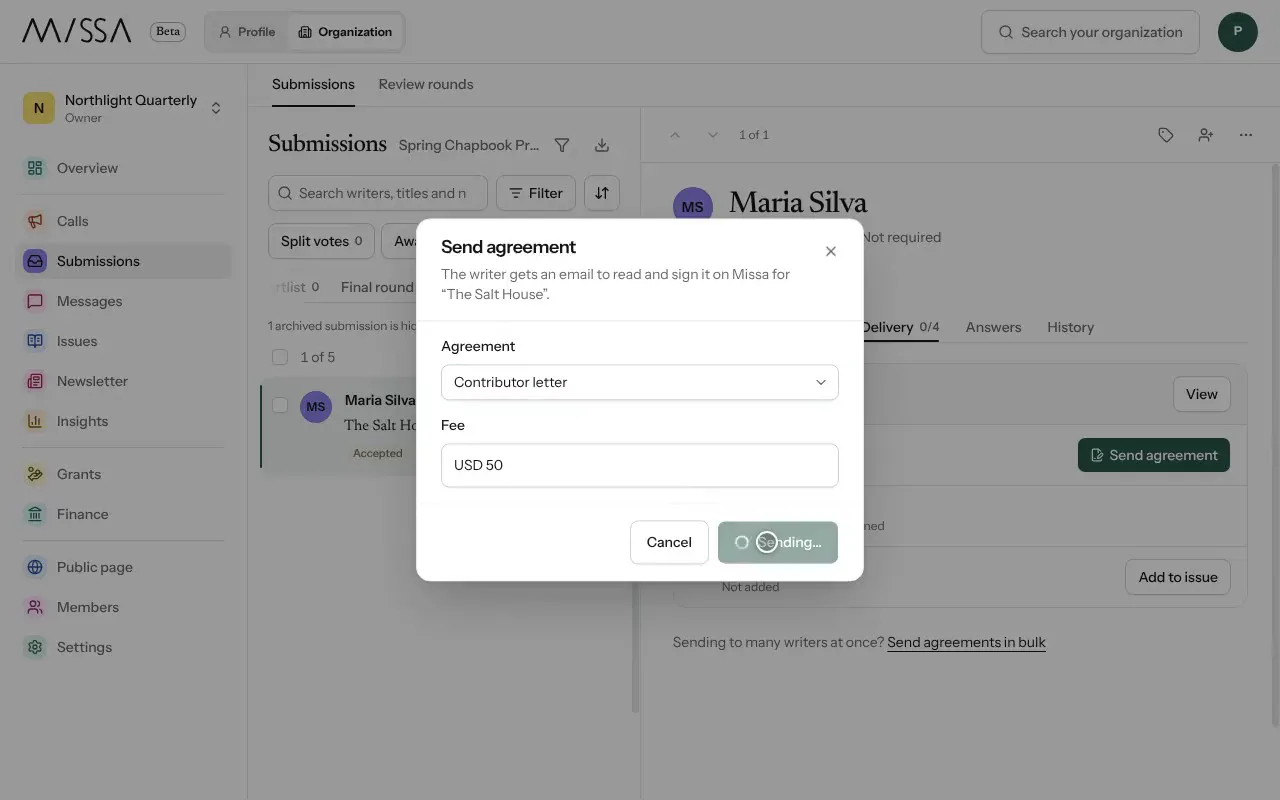
Open your organization and select Submissions, then Accepted.
Open the submission and select Delivery.
If you have no agreement yet, select Set up an agreement, then Write your letter. To upload a contract you already have, select Use your own contract. Set the rights and the usual fee, then select Save letter.
Back in Delivery, select Send agreement. Choose the Agreement, check the Fee and select Send agreement.
When the writer signs, select View beside Agreement, then Countersign.
Select Pay writer. Pay by card or bank through Missa, or select Already paid if you paid elsewhere.
Before you send the agreement
Include the fee, the rights requested and the publication date. Agree on payment timing and keep to it. Writers may have the same piece under consideration elsewhere, so send the agreement promptly.
Good to know
- Writers provide payout details in Wallet. Missa can email a link if the details are missing; no charge is made until they’re provided.
- Both sides retain a signed copy.
- To send agreements to several writers at once, select Send agreements in bulk.
- You can Request changes and review Suggested edits before publication.
Was this article helpful?