Send letters
Updated November 12, 2026 · 1 min read
Send writers decisions, longlist notices and shortlist updates from Messages. Letters go through approval before they’re sent.
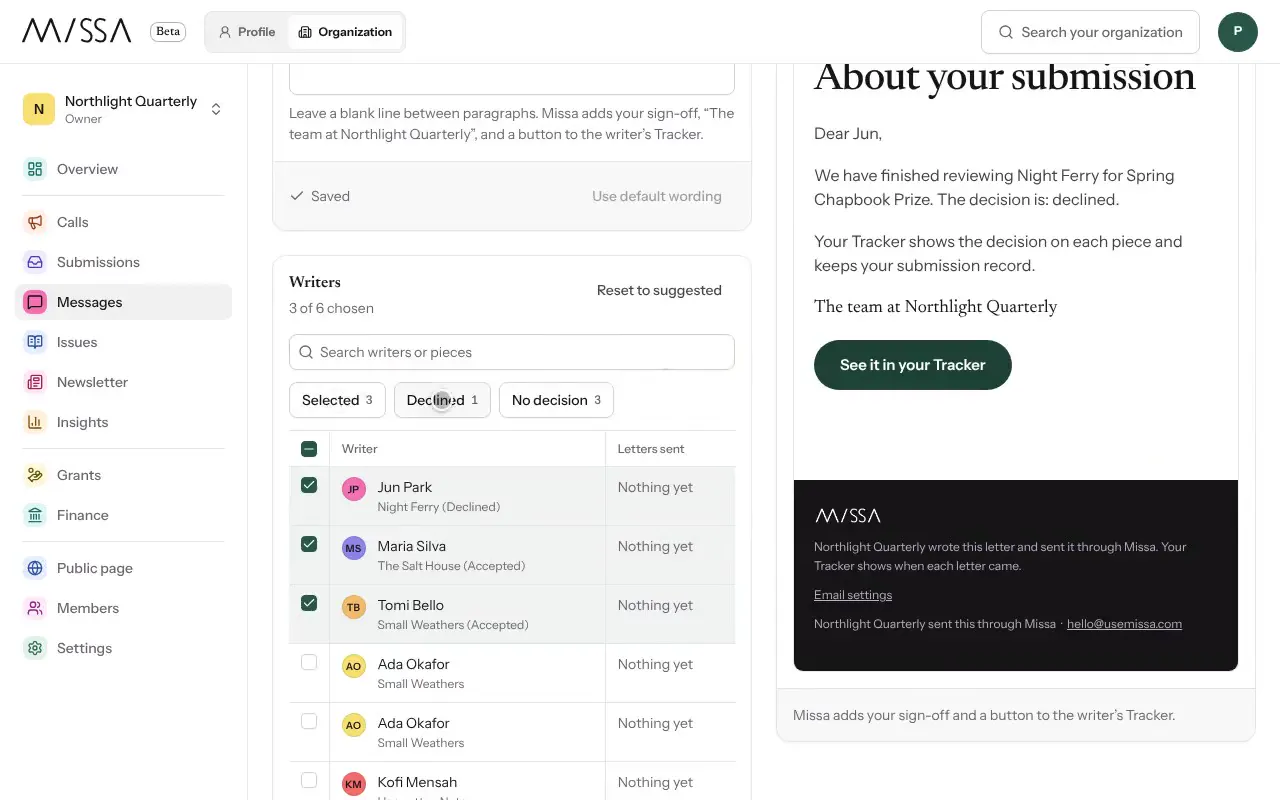
Open your organization and select Messages, then New letter.
Choose the Letter type—for example, Decision, Longlist or Shortlist—and the Call.
Select Create draft.
Edit the subject and message. Use Insert field for writers’ names and submitted pieces.
Under Writers, check the recipients and read the preview.
Select Send me a test, then Request approval. Send the letter once approved.
Writing the letter
Name the writer and their work. Send declines as well as acceptances, and avoid vague praise that could apply to any submission. If you can offer a specific reason for a decision, keep it accurate and kind.
Set the sender name, reply-to address and sign-off under Settings, then Emails. Writers’ questions appear under Questions in Messages.
Was this article helpful?