Close your account
Updated November 12, 2026 · 1 min read
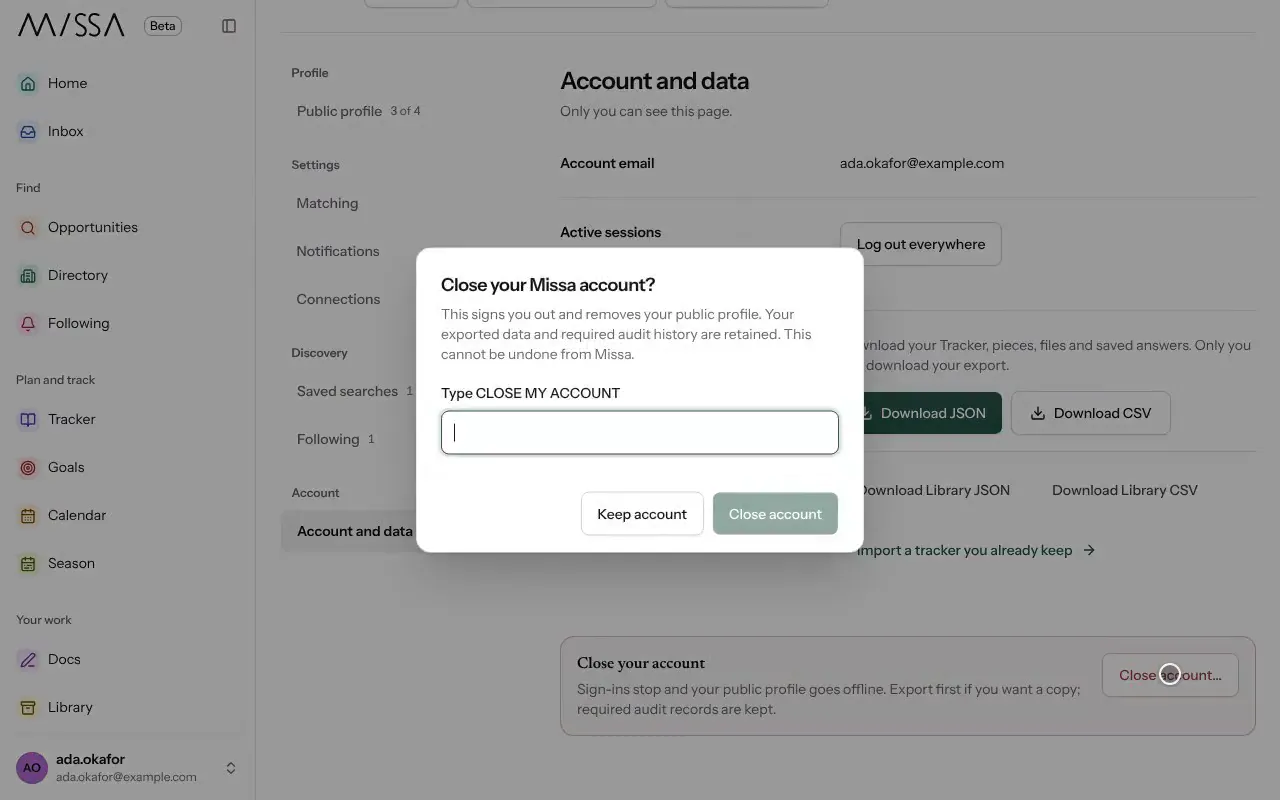
Closing your account signs you out and takes your public profile offline. You can’t undo the closure from Missa.
If you want to keep your records, download your data and export your writing from Docs first.
Open Profile and choose Account and data.
Under Close your account, select Close account…
Type CLOSE MY ACCOUNT to confirm, then select Close account.
Before you close
- If you own an organization, add another owner so the team can keep working.
- If you just want a break, you can turn off emails and unpublish your profile instead.
Missa retains audit records where required by law.
Was this article helpful?