Download your data
Updated November 12, 2026 · 1 min read
Download a copy of your Library in CSV or JSON format.
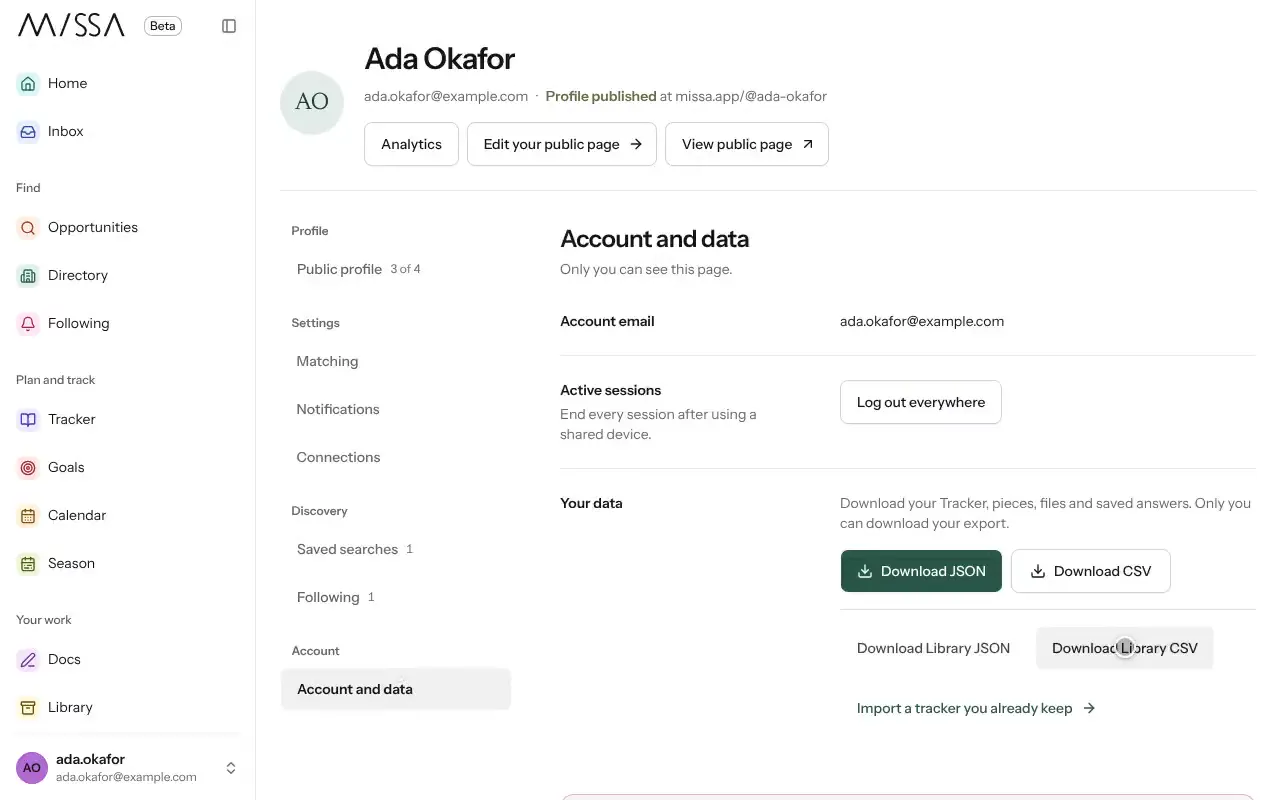
Open Profile and choose Account and data.
Under Your data, select Download Library CSV or Download Library JSON.
CSV is useful for opening your records in a spreadsheet. JSON is useful for moving data to another tool. Keep the downloaded file somewhere safe.
If your session has expired, log in again before downloading.
Was this article helpful?