Stop emails from Missa
Updated November 12, 2026 · 1 min read
Choose which email updates you receive from Missa, or unsubscribe using the link at the bottom of an email.
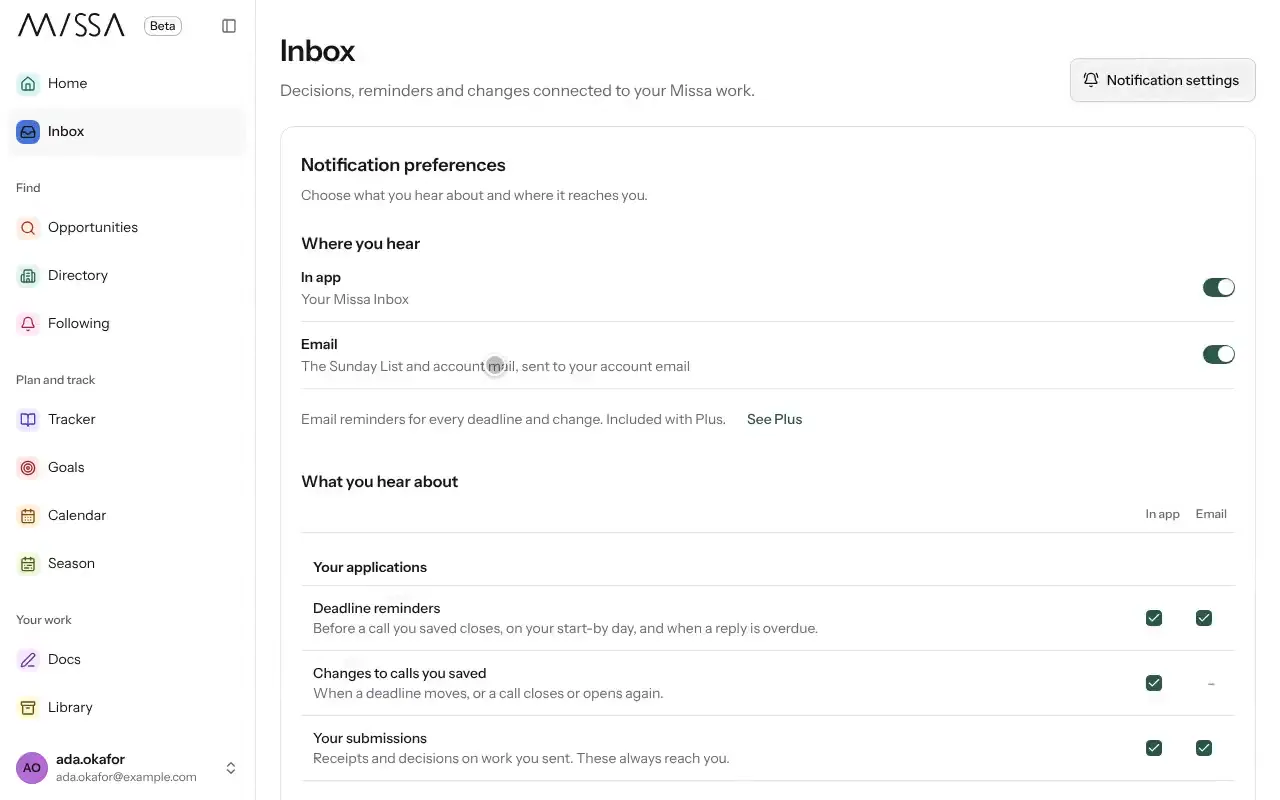
Open Inbox and select Notification settings. You can also open Profile, then Notifications.
Turn off updates you don’t want, such as The Sunday List or Daily email of new matches.
Save your changes.
What you can’t turn off
You’ll still receive essential account emails, such as log-in codes and receipts.
To unsubscribe from a newsletter sent through Missa Mail, use the unsubscribe link in that newsletter. Newsletter subscriptions are separate from Missa account notifications.
Was this article helpful?