Invite your team
Updated November 12, 2026 · 1 min read
Invite editors, readers and other colleagues to help run your organization.
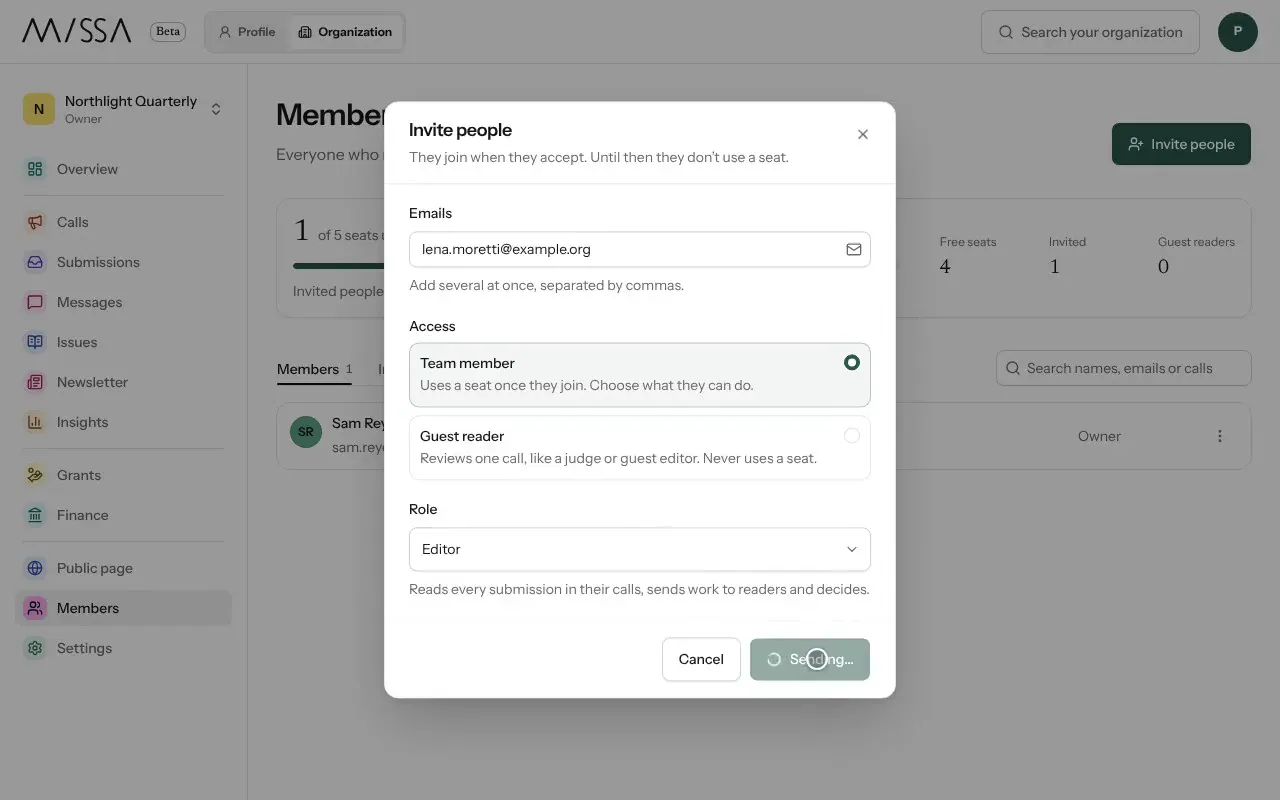
Open your organization and select Members.
Select Invite people. Enter one email address or several, separated by commas.
Choose Team member or Guest reader, then a Role.
Select Send invite. The invitation appears under Invited until the person joins.
What each role can do
- Owner and Admin can manage everything, including billing. Only an owner can change another owner’s access.
- Editor can read submissions, run reviews and make decisions.
- Reader sees only work assigned to them.
- Finance has access to money, grants and billing.
- Guest reader reviews one call, for example as a judge, without using a seat.
Give people only the access they need. Remove access when someone leaves your team.
Good to know
- Invitations don’t use a seat until accepted.
- If the invitation email doesn’t arrive, select Copy link and share it directly.
Was this article helpful?