Switch from Submittable
Updated November 12, 2026 · 1 min read
Move your forms, submissions, labels and notes from Submittable. Missa imports each form as a draft call.
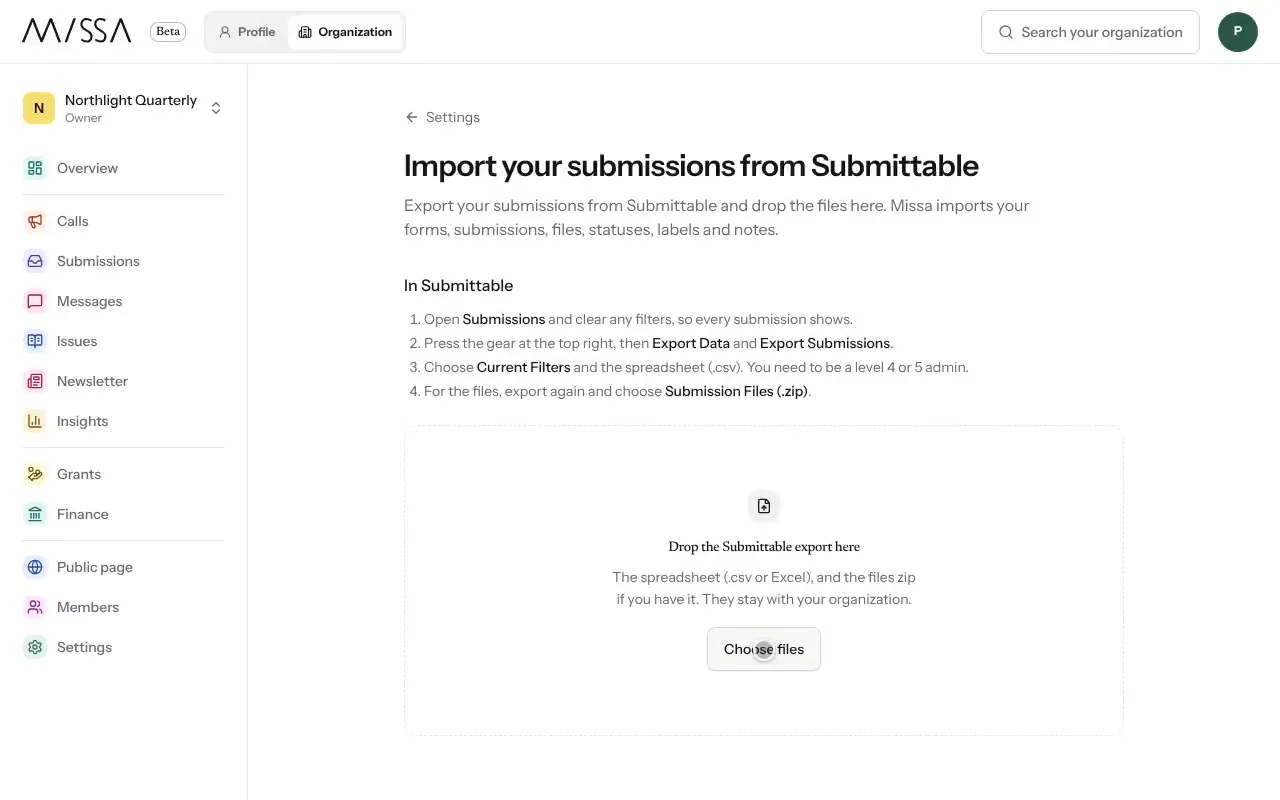
In Submittable, select the gear at the top right, then Export Data and Export Submissions.
If you need the attached files, export again using Submission Files (.zip).
In your Missa organization, choose Import under Coming from Submittable?
Upload the spreadsheet and, if you have it, the .zip file. Select Import.
Review every draft call and publish it when ready.
Before switching
Import one form first to check how the data appears. Keep the Submittable export until you’ve verified the records and files in Missa. If possible, migrate before a new reading period rather than during one.
Files can be up to 15 MB. Export one form at a time if you need smaller files. Imported records stay with your organization.
Was this article helpful?