Choose blind review
Updated November 12, 2026 · 1 min read
Blind review hides writers’ names from reviewers so they can assess the work without seeing identifying details on Missa.
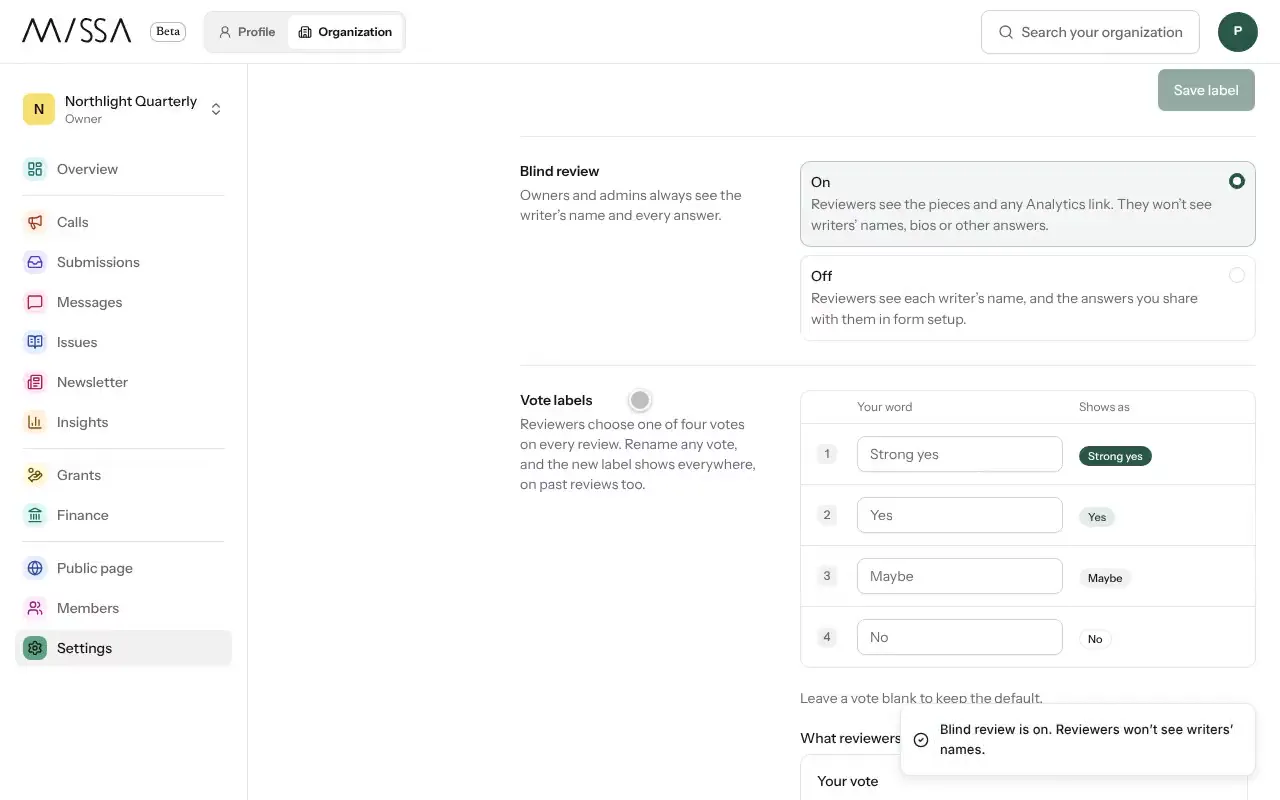
Open your organization and select Settings, then Review.
Turn on Blind review before the reading period starts.
Important
Blind review hides names in Missa, not names written inside uploaded files. Tell writers to remove identifying details from their files if your reading process requires anonymity.
Reviewers can see submitted pieces and any Analytics link, but not writers’ names, bios or other answers. Owners and admins can still see all answers and writer details.
On this page you can also change Vote labels and the Applicant label used by your team.
Was this article helpful?