Review submissions
Updated November 12, 2026 · 1 min read
Submissions shows the work sent to your calls, including files, answers, reviews and decisions.
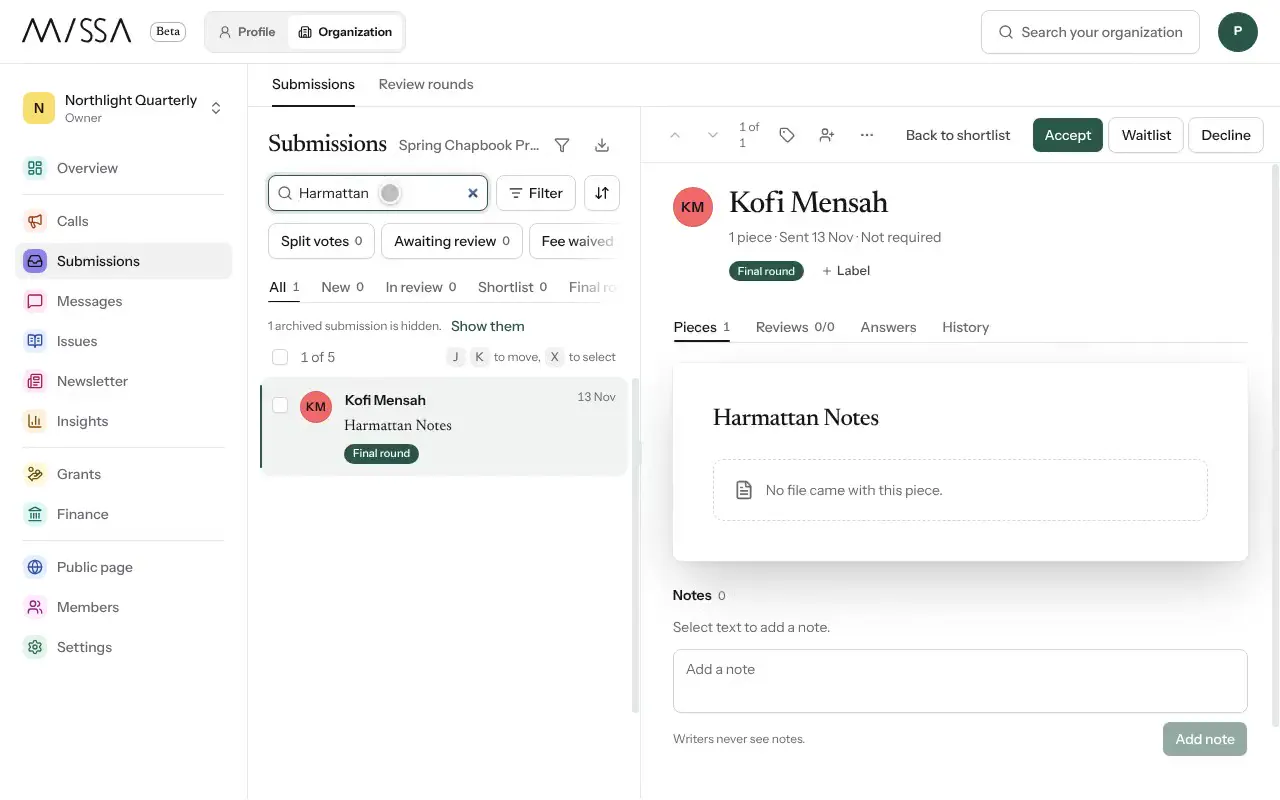
Open your organization and select Submissions.
Select a writer from the list to open their submission alongside it.
Review Pieces, Reviews, Answers and History.
Search by writer or title, or use Filter to narrow the list.
Working with your team
Agree on the meaning of each status before reviewing. Filter by call or category when working through a large queue, and check History before contacting a writer to see whether someone has already replied.
Good to know
- Each piece gets its own decision. A submission containing three poems can have one accepted and two declined.
- Missa flags possible eligibility issues but doesn’t decide eligibility for you. A person makes the decision; category, payment and review information do not determine the outcome on their own.
Was this article helpful?