Run a review round
Updated November 12, 2026 · 1 min read
A review round assigns submissions to reviewers with a deadline, a brief and a rubric.
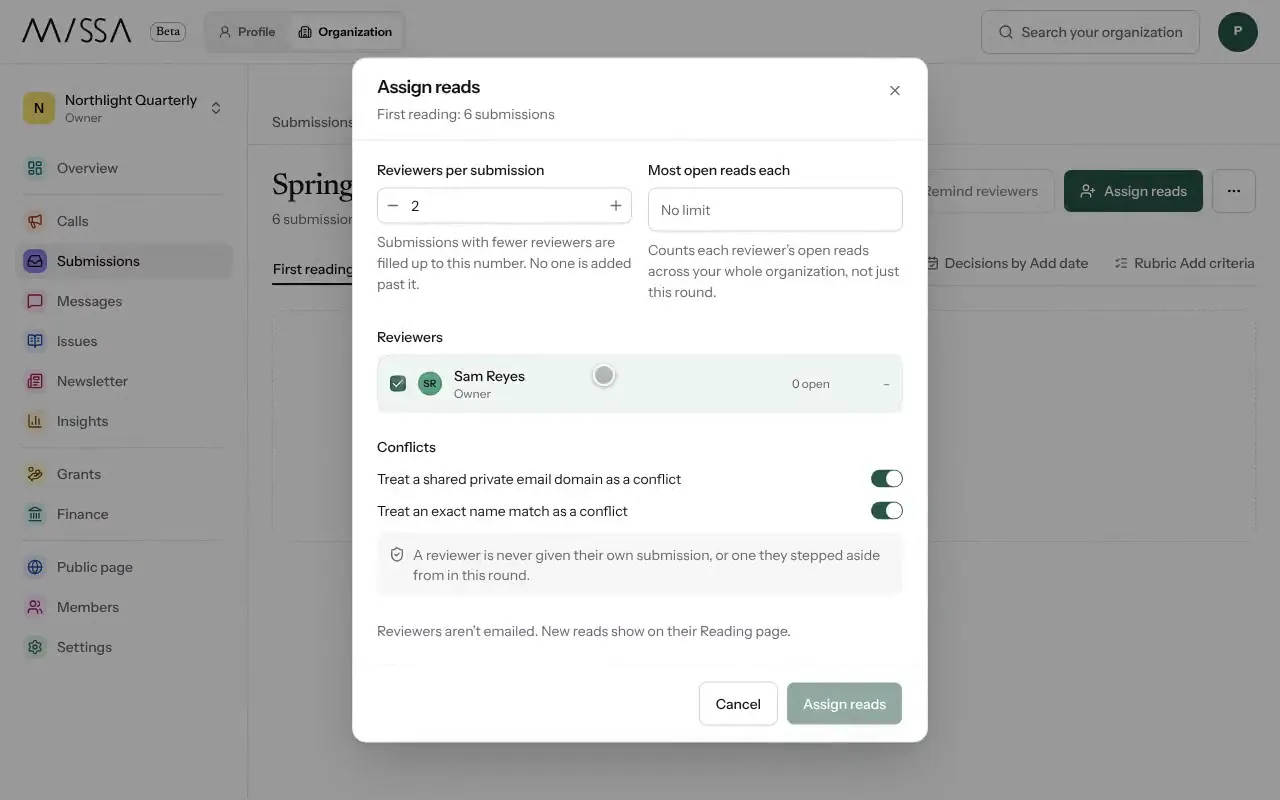
Open your organization and select Submissions, then Review rounds.
Choose a call under Opportunity, enter a Round name and select Create round.
Set Reads due, Decisions by and the Rubric.
Select Assign reads. Set Reviewers per submission, choose your reviewers and confirm with Assign reads.
Select Remind reviewers if work is overdue.
Set the round up well
Give reviewers a short brief covering what to look for and how to use the rubric. Assign a realistic number of pieces, and use at least two reviewers per piece in the round that determines the shortlist.
Good to know
- Rounds belong to a call; more submissions can be assigned to the same round.
- Writers cannot review their own submissions.
- Reviewers aren’t emailed automatically. New assignments appear on their reading page.
Was this article helpful?