Make decisions
Updated November 12, 2026 · 1 min read
Record a decision for each submitted piece before sending decision letters.
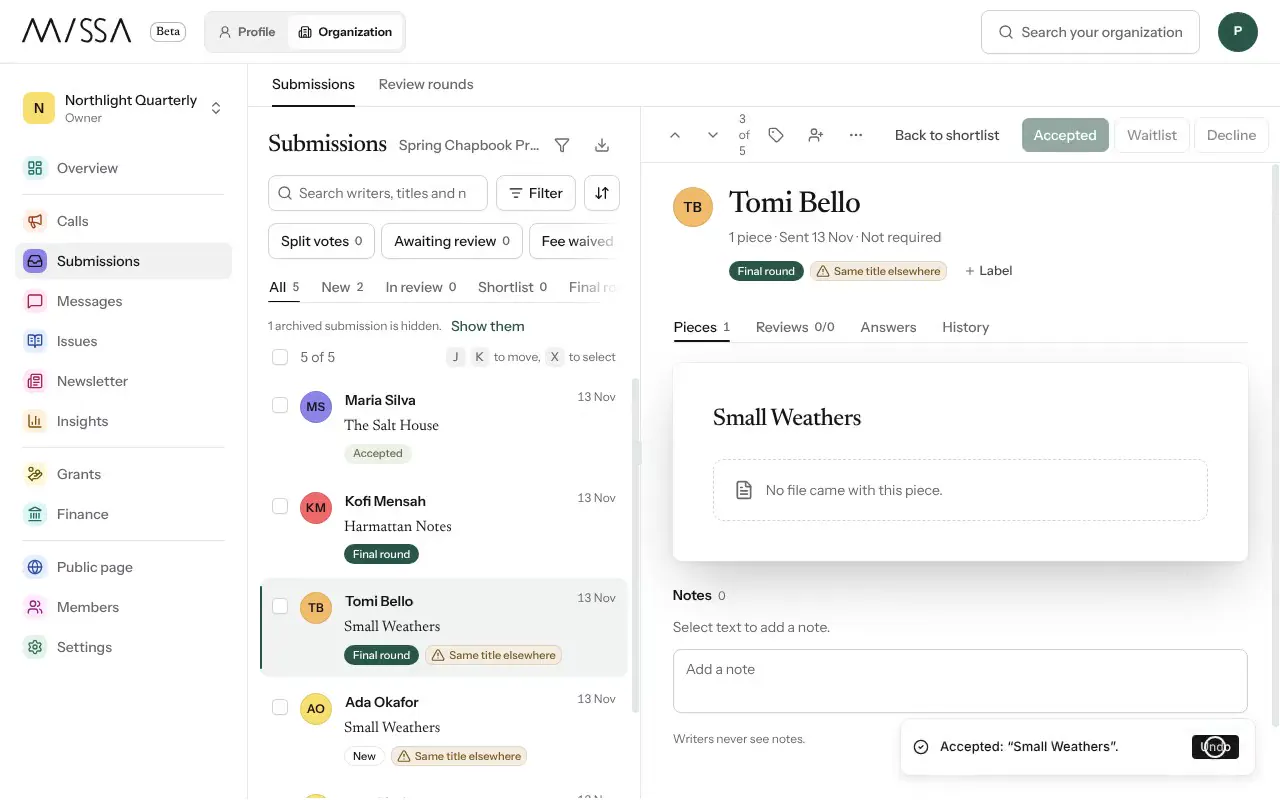
Open your organization and select Submissions.
Open a submission in Final round.
Select Accept, Waitlist or Decline. You have a few seconds to select Undo.
To decide a piece before the final round, select Record decision under the piece.
When you’re ready to notify writers, select Messages, then New letter.
Good to know
- Recording a decision doesn’t notify the writer. They hear from you when your team sends the letter from Messages.
- You can select Change decision before sending the letter.
- A submission reaches the final round through Move to shortlist, then Move to final round.
Record a decision for every piece, even when several were sent in the same submission.
Was this article helpful?