Find your way around
Updated November 12, 2026 · 1 min read
Use the left-hand menu to move between the main parts of Missa.
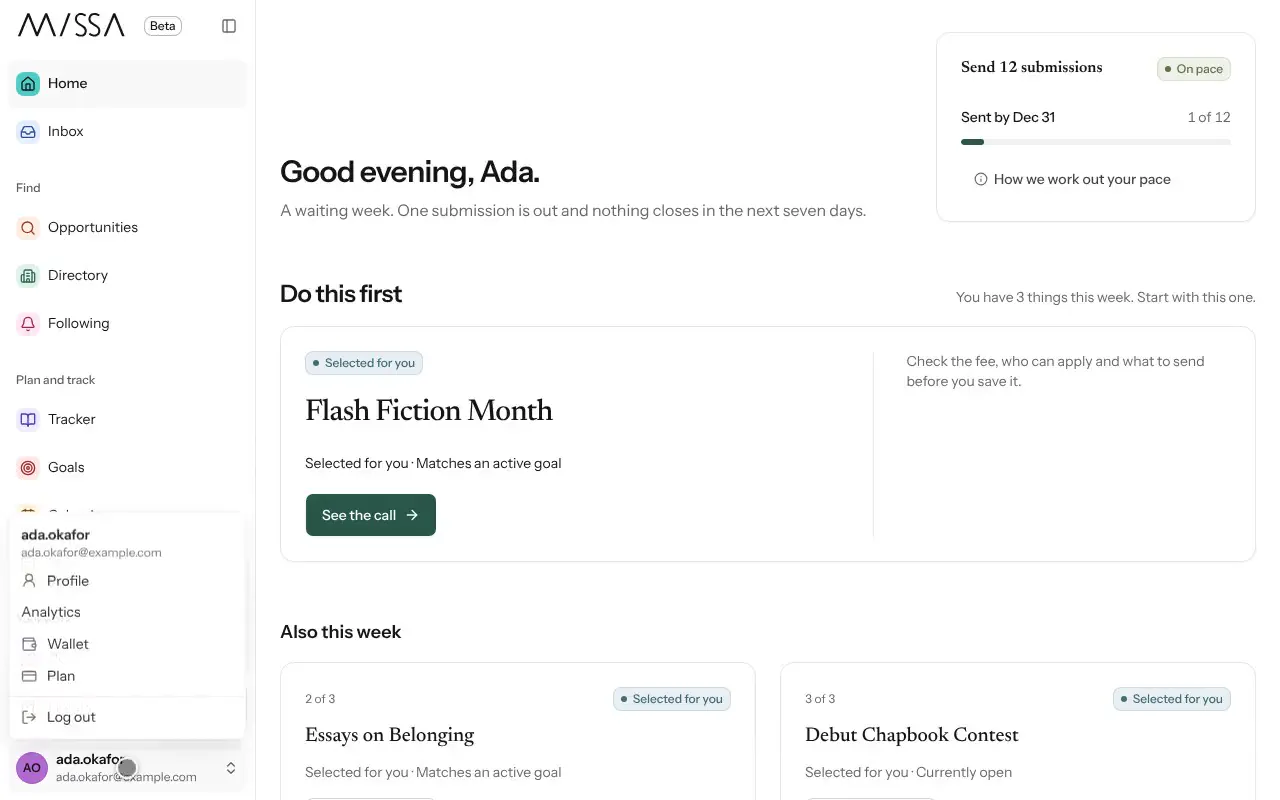
- Home shows a suggested priority for the week and your goal.
- Inbox holds decisions, reminders and changes to saved calls.
- Find includes Opportunities, Directory and Following.
- Plan and track includes Tracker, Goals, Calendar and Season.
- Your work includes Docs, Library, Profile and Mail (once enabled).
Where to start
Check Home for your next step, Inbox for updates and Tracker for the full list of calls you’re following or preparing.
Good to know
- On a phone, open the menu using the button at the top right.
- On a computer, you can collapse the menu. Missa remembers that choice on the device.
- If you belong to an organization, switch to it from the menu.
Was this article helpful?