Import your list
Updated November 12, 2026 · 1 min read
Move your newsletter subscribers to Missa Mail. Addresses that unsubscribed in your previous tool remain unsubscribed after import.
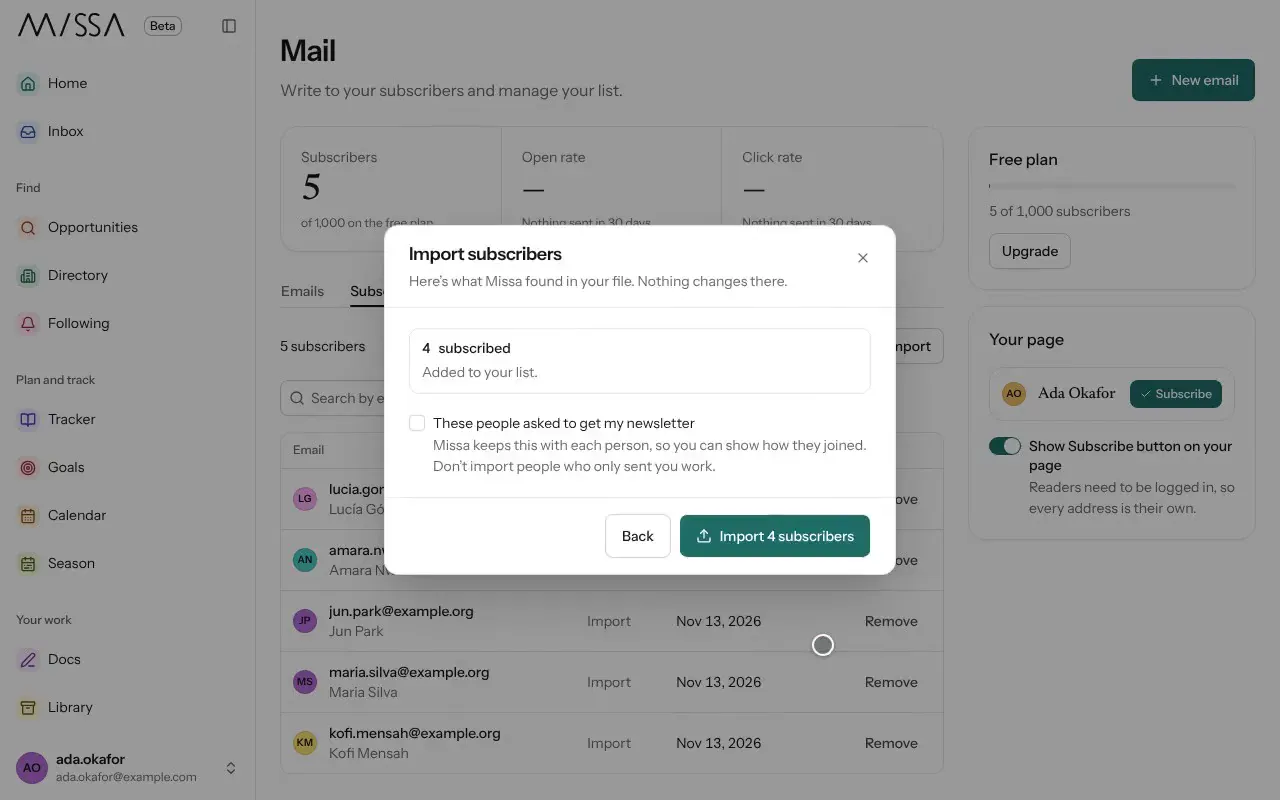
Open Mail, select Subscribers, then Import.
Choose Mailchimp, Kit, beehiiv, Substack, Resend, MailPoet, Ghost or Buttondown. For another tool, select CSV file.
Follow the instructions and select Continue.
Check the subscribers Missa found, then tick These people asked to get my newsletter if you have their consent.
Select Import.
Before importing
Only import people who agreed to receive your newsletter. Remove addresses that are no longer valid or engaged before you move the list.
Good to know
- Missa identifies common email and name columns.
- Bounced, cleaned and unconfirmed addresses are excluded.
- CSV files can be up to 5 MB. Split a larger list into smaller files.
Was this article helpful?