Send an email
Updated November 12, 2026 · 1 min read
Write, test and send an email to your subscribers—or schedule it for later.
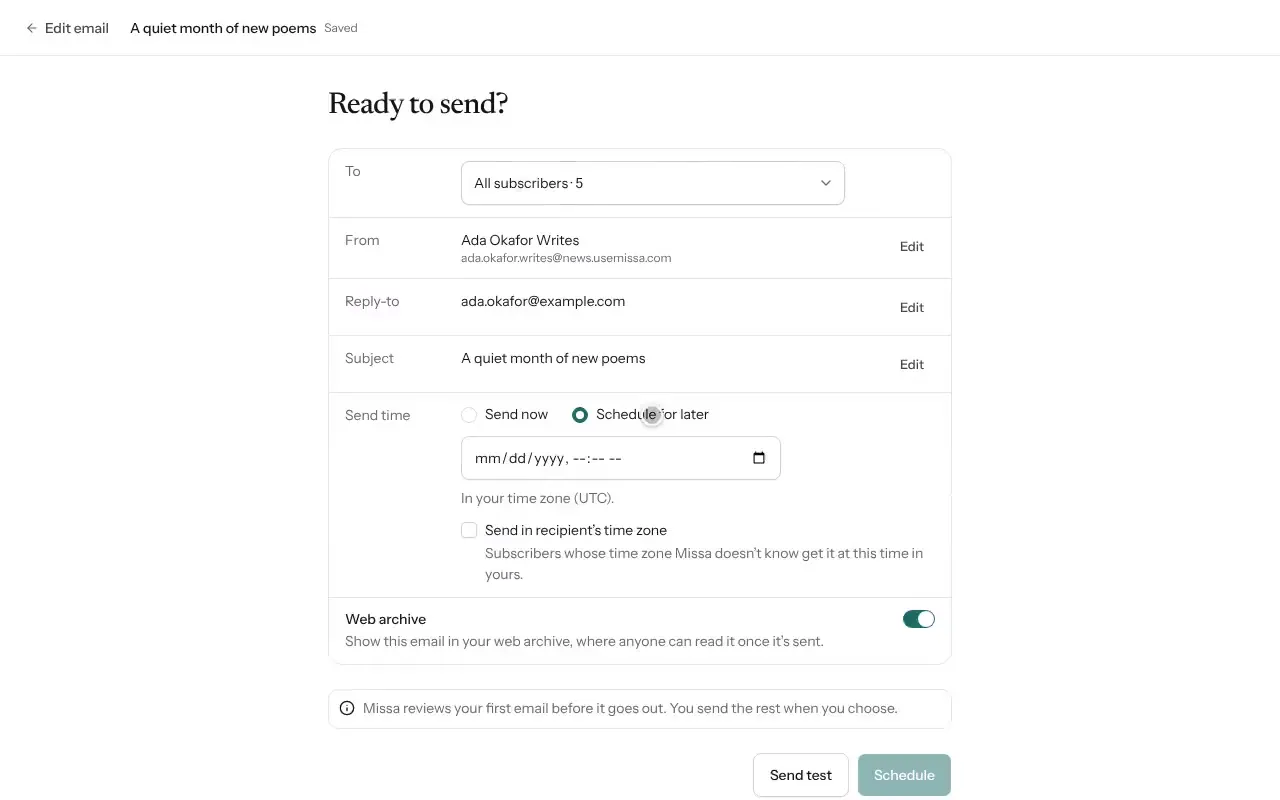
Open Mail and select New email.
Choose a template or select Start from scratch.
Write the Subject, Preview text and email body.
Select Continue.
Under To, choose everyone, a topic or a segment.
Select Send test and check the message in your inbox, including on a phone.
Select Send now, or Schedule for later and choose a time. Confirm with Send or Schedule.
Before sending
Make sure the subject matches the email, check every link, and review the test on mobile. A regular sending schedule can help subscribers know when to expect your work.
Good to know
- Send in recipient’s time zone schedules the message for each person’s local time.
- Missa reviews your first email before it’s sent.
- Select Unschedule to return a scheduled email to draft.
Was this article helpful?