Set up your newsletter
Updated November 12, 2026 · 1 min read
Set up a newsletter in Missa Mail to send writing, updates or announcements to readers who subscribe.
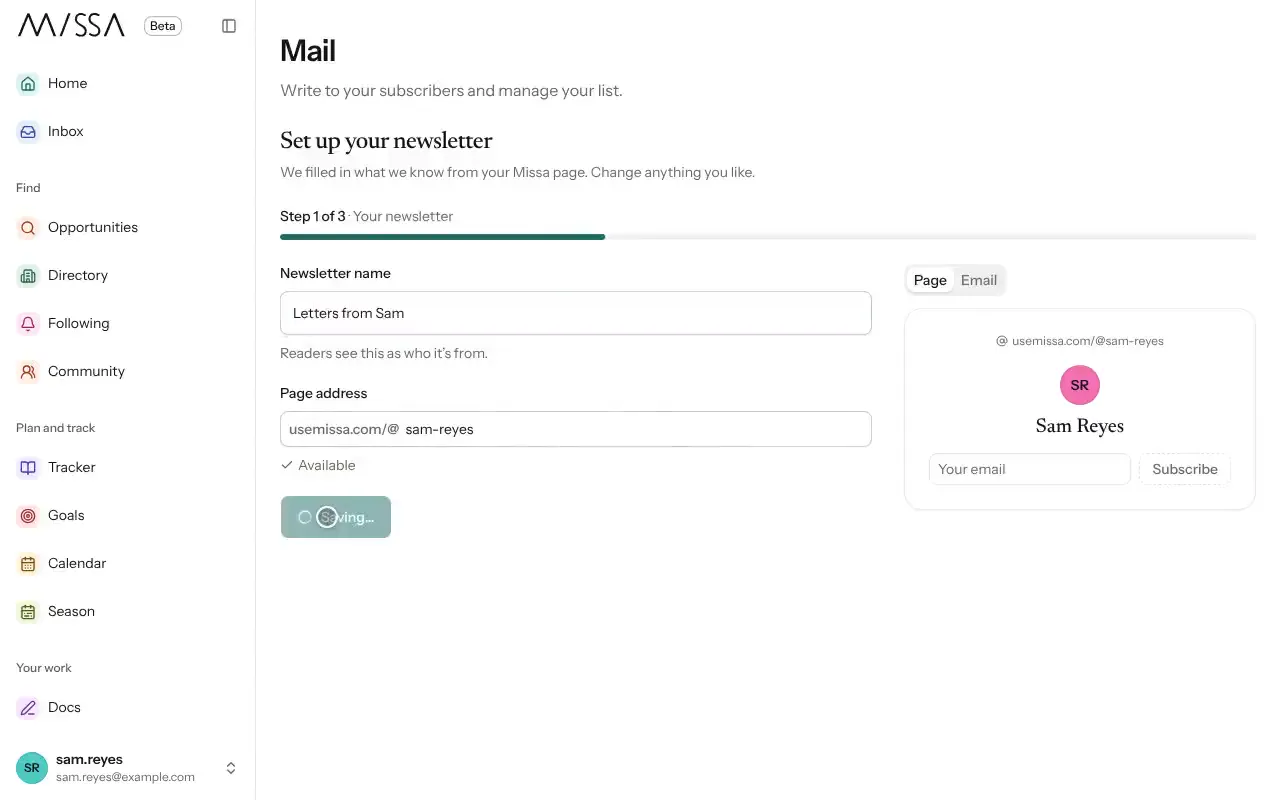
Select Mail in the menu.
Under Set up your newsletter, check your Newsletter name and sender name. Missa fills in details from your page where available.
Missa adds a Subscribe button to your page. Share the page link to invite subscribers.
Choose whether to Send a welcome email to new subscribers.
Import an existing list, or select Skip for now.
Before inviting subscribers
Use a name readers will recognize in their inbox. If you send a welcome message, tell people what they’ll receive and how often. Share your sign-up link on your website and other places where readers already find you.
Good to know
Missa reviews your first email before sending it. You can hide the signup button at any time by turning off Show Subscribe button on your page; existing subscribers remain on your list.
Was this article helpful?