Choose your reminders
Updated November 12, 2026 · 1 min read
Choose when Missa reminds you about deadlines and start-by dates, and whether reminders arrive in your Inbox, by email or both.
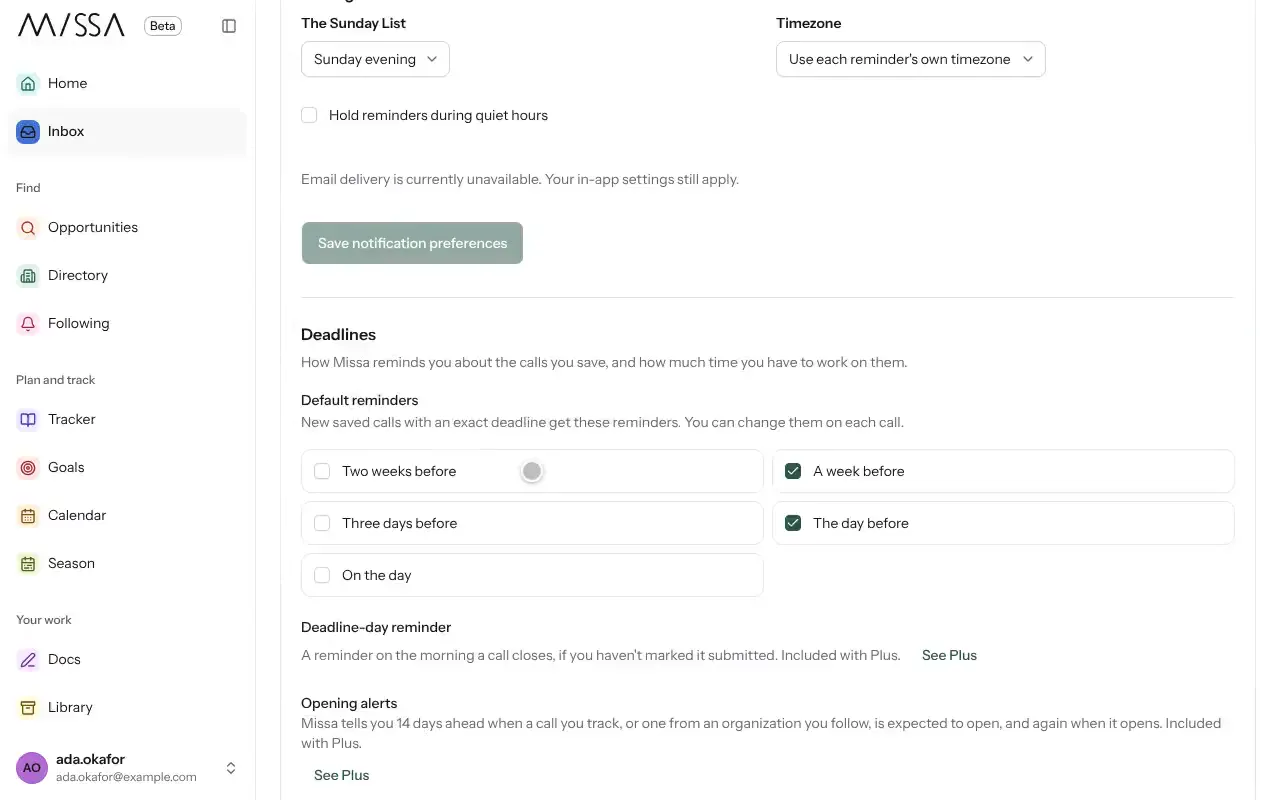
Open Inbox and select Notification settings.
Under Default reminders, choose when to be reminded: for example, Two weeks before, Three days before, The day before or On the day.
Choose Your Missa Inbox, Email or both for each reminder.
Set Quiet from and Until to avoid notifications at night.
Select Save notification preferences.
Good to know
- You can also find these settings under Profile, then Notifications.
- Default reminders apply to newly saved calls with exact deadlines. You can change reminders for individual calls.
- To stop reminders for one call, open it in your Tracker and select Turn off deadline reminders.
- The Sunday List is a weekly email you can turn off here.
Was this article helpful?