Plan your steps
Updated November 12, 2026 · 1 min read
Add steps and target dates to a call in your Tracker so you can plan the work before its deadline.
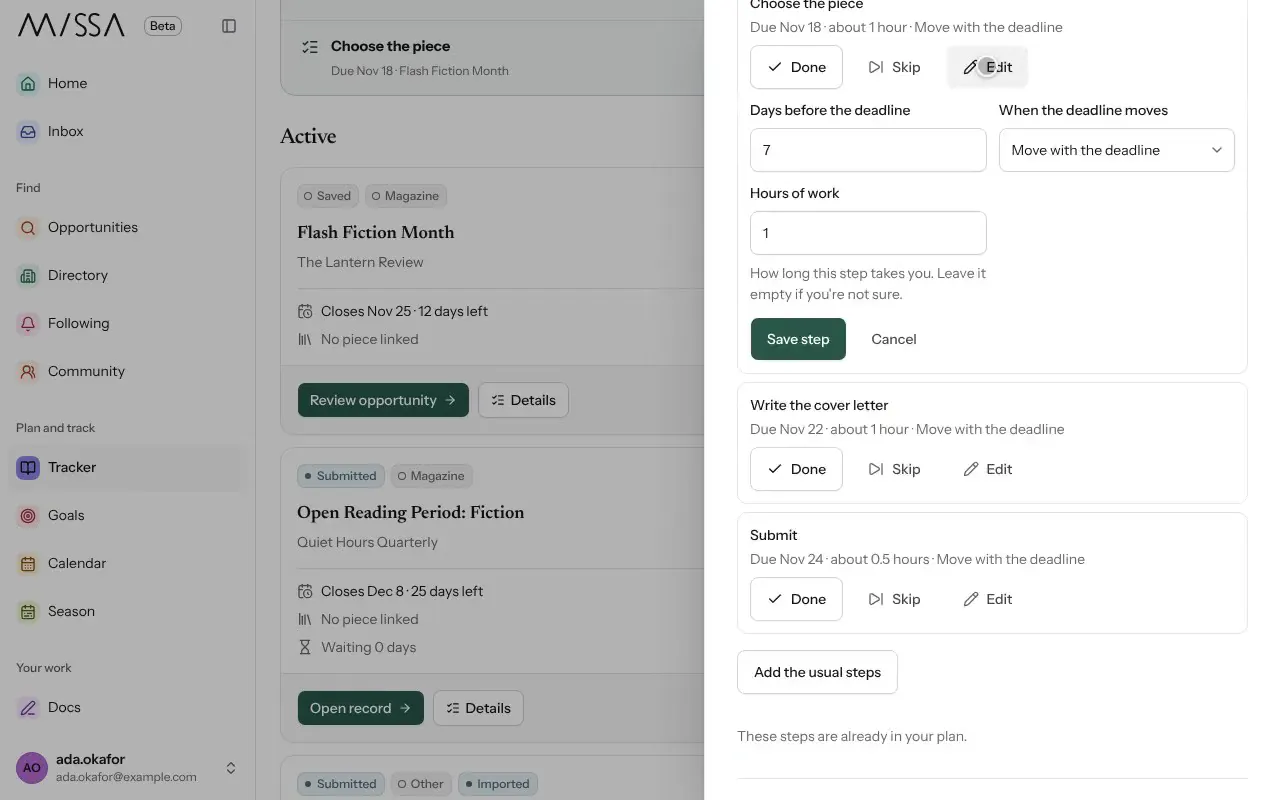
Open the call in Tracker.
Under Timeline, add typical steps for that kind of application and adjust them as needed.
Set Hours of work for each step, if you can estimate it. Missa uses this to suggest when to start.
Set Your target date if you want to finish before the official deadline.
Under When the deadline moves, choose Move with the deadline or Keep my date fixed.
Good to know
Your target date is personal; it doesn’t change the organizer’s deadline. If the call opens again in another cycle, select Move to next cycle to reuse your plan.
Allow time for upload, payment or website problems near the deadline.
Was this article helpful?