Import your spreadsheet
Updated November 12, 2026 · 1 min read
Move your existing submission records into Tracker instead of entering them one by one.
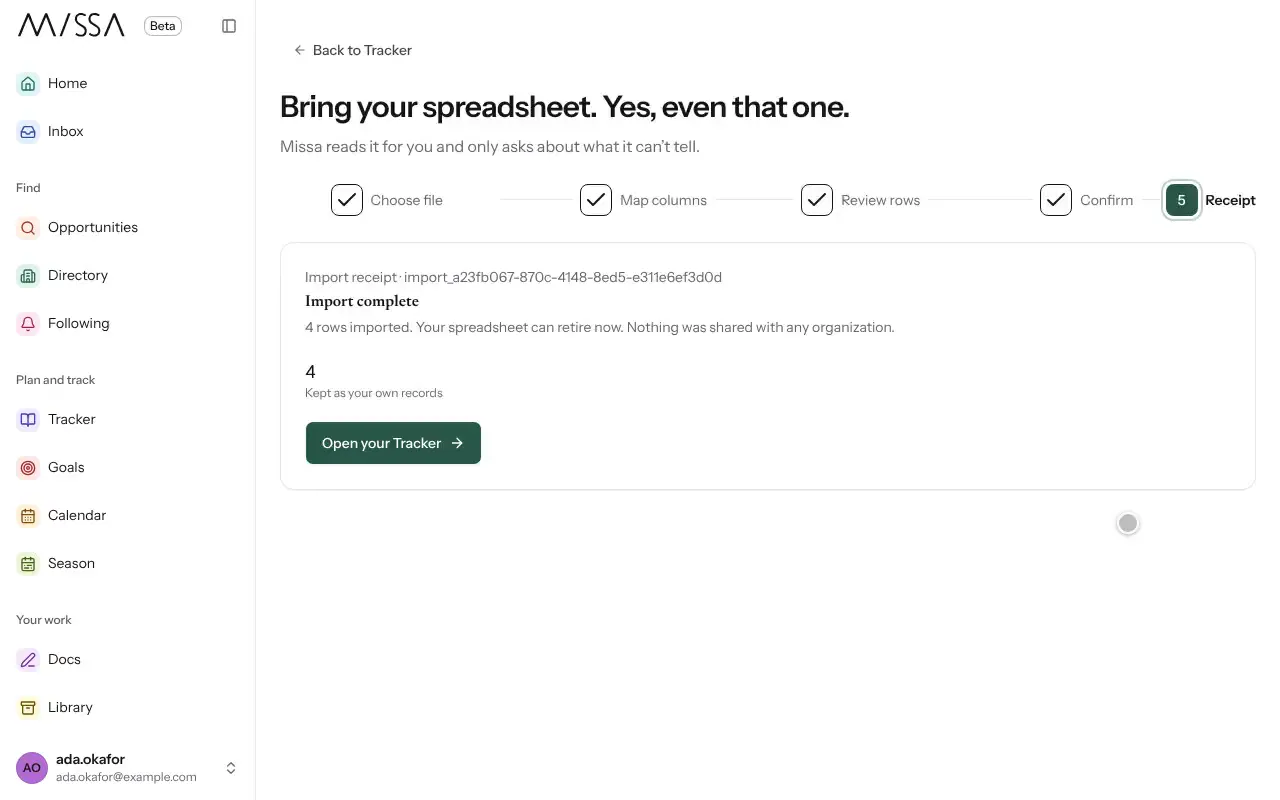
Open Tracker and select Import.
Select Choose file and upload a CSV, Excel or OpenDocument spreadsheet.
Missa reads its rows and columns. If it can’t identify a column, use Map columns. You need an organization column and a status column.
Select Check rows. Review Missa’s suggested matches, or choose Add as my own entry if a call isn’t listed.
Add the reviewed rows to Tracker. Missa shows a receipt of what it imported.
Prepare the spreadsheet
Use one row per submission and a clear status column. If your spreadsheet is difficult to map, select Download template to see the expected structure.
Good to know
- Missa imports only the sheet you select, not the rest of your workbook.
- Importing doesn’t notify organizations or change their records.
- Missa asks before mapping your genres to its own terms.
Was this article helpful?