Set a goal
Updated November 12, 2026 · 1 min read
Set a target for the work you want to send—for example, ten submissions by June. Missa tracks progress as you record matching submissions.
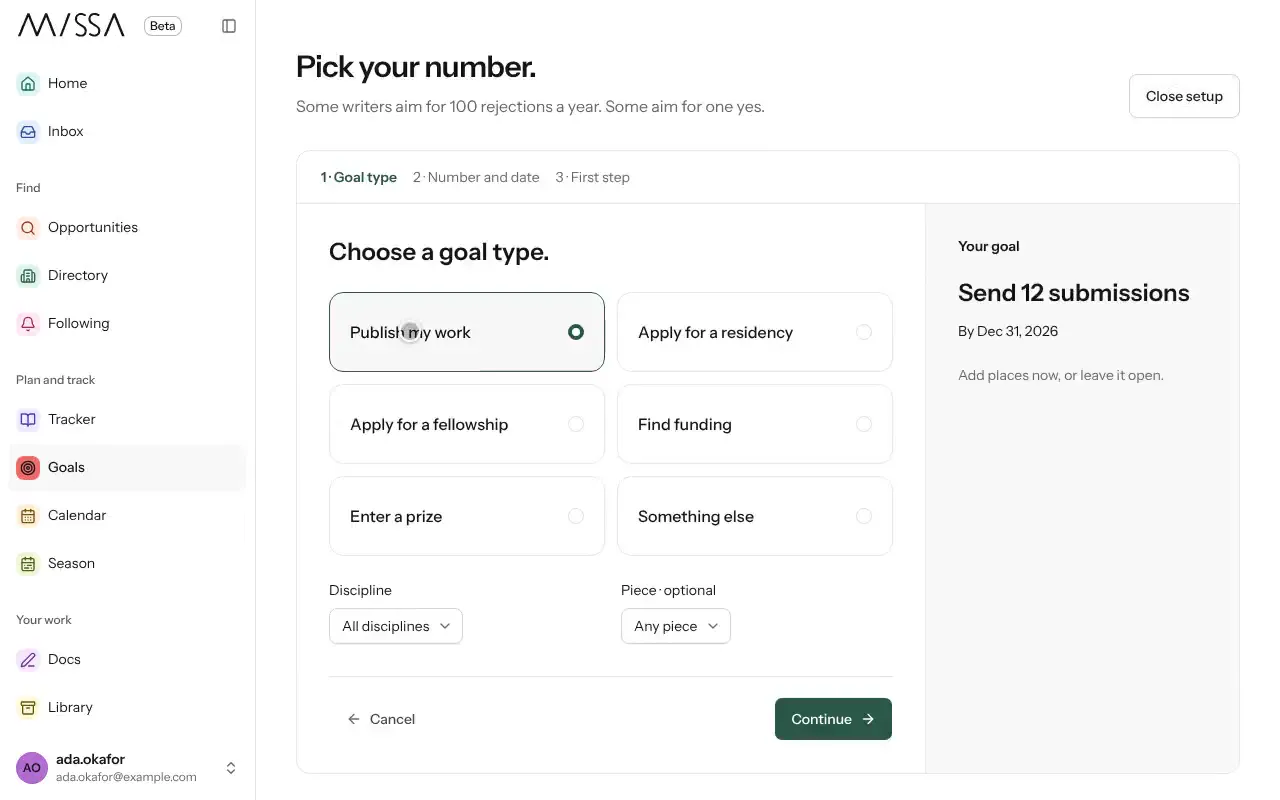
Select Goals in the menu.
Choose a goal type, such as Publish my work, Apply for a residency or Enter a prize, then select Continue.
Set a number and deadline.
Choose calls, organizations or programs to focus on, or leave the goal open.
Choose your first step, then select Create my goal.
Make the goal useful
Choose a target you can work toward with the time you have. Submissions sent are within your control; acceptances aren’t.
Good to know
- Set goal check-ins to Every week or No check-ins.
- Select Pause to stop check-ins temporarily and Resume to restart them.
- The goal is yours to define; writers measure progress in different ways.
Was this article helpful?