Record a submission
Updated November 12, 2026 · 1 min read
If you submit work outside Missa, record it in Tracker so your submission history stays complete.
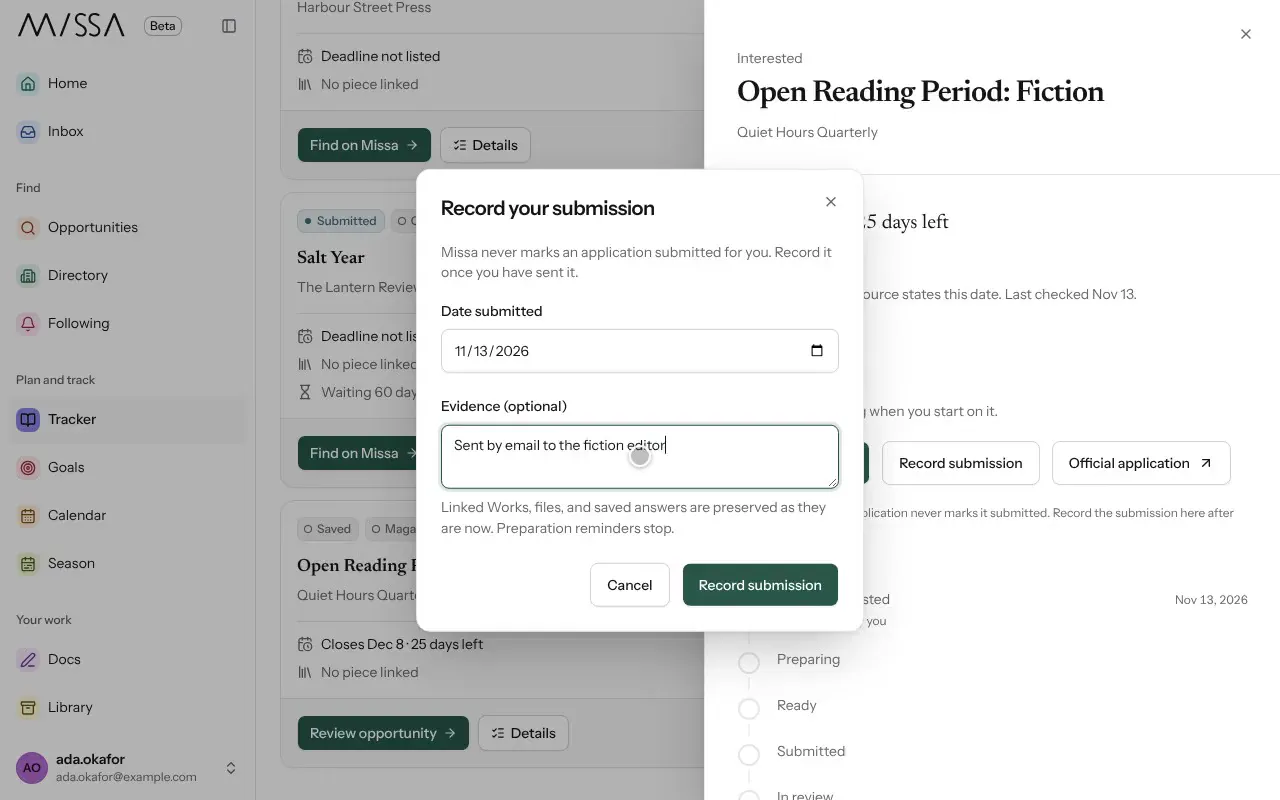
In Tracker, open the call’s Details.
Select Record submission.
Check Date submitted. Under Evidence, add a confirmation number or email subject, if you have one.
Select Record submission. The call moves to Submitted.
When the organization responds, open Details again and select Record a response.
Keep the record useful
Record the work you sent, not just the call. If you submit the same piece to several places, record each submission separately so you know whom to notify if it’s accepted.
Missa records submissions made through its own forms as Submitted through Missa. Your records also contribute to response-time data and Your year in numbers in Season.
Was this article helpful?