Use your calendar
Updated November 12, 2026 · 1 min read
Calendar shows your deadlines, planned steps and goal dates. You can also reserve time to work on applications.
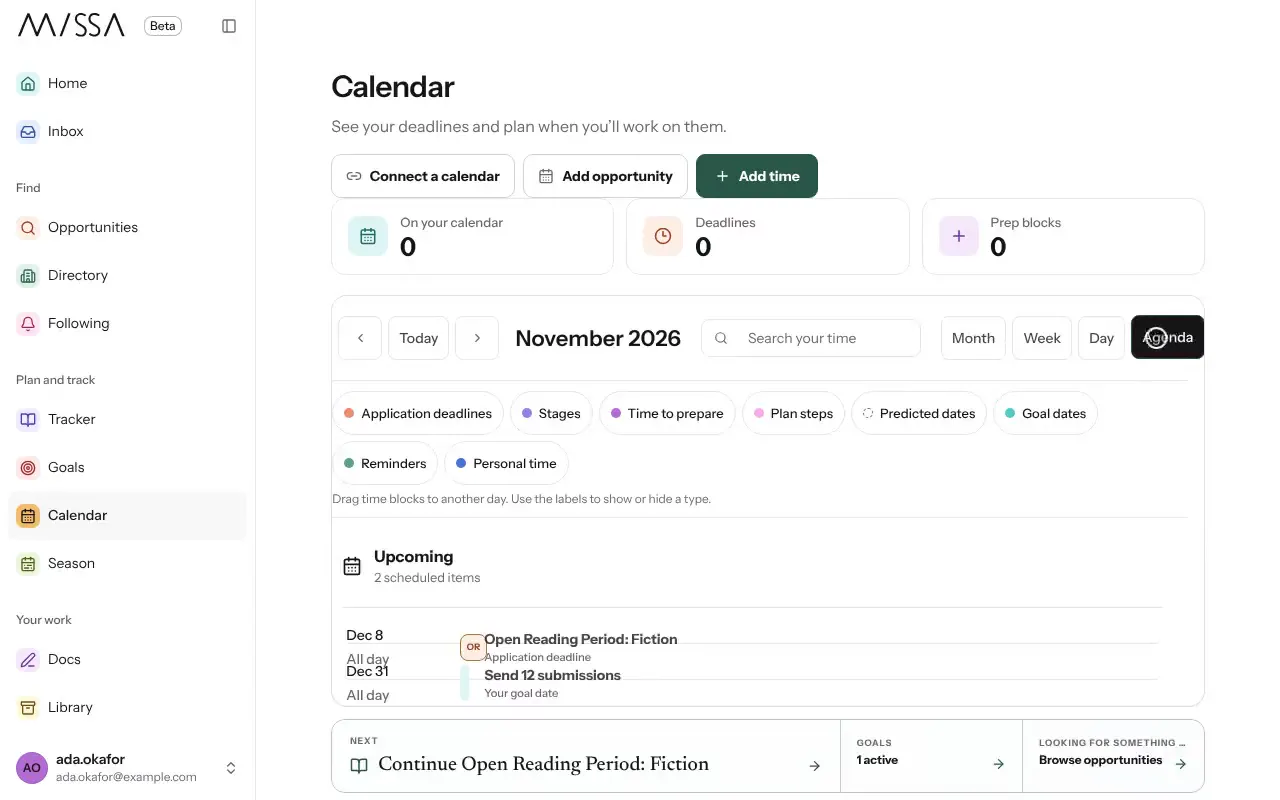
Select Calendar in the menu.
Select Add time to block out a work session. Link it to an application if you want.
Drag a goal date to move it. Missa updates the linked goal.
Good to know
- Deadlines linked to calls come from those calls. To change a related plan, open the linked application, reminder or goal.
- Dates marked Predicted are estimates based on past cycles, not dates announced by the organization. Check official dates before relying on them.
Was this article helpful?