Comment and suggest
Updated November 12, 2026 · 1 min read
Use comments to discuss a document and suggestions to propose changes without editing the accepted text.
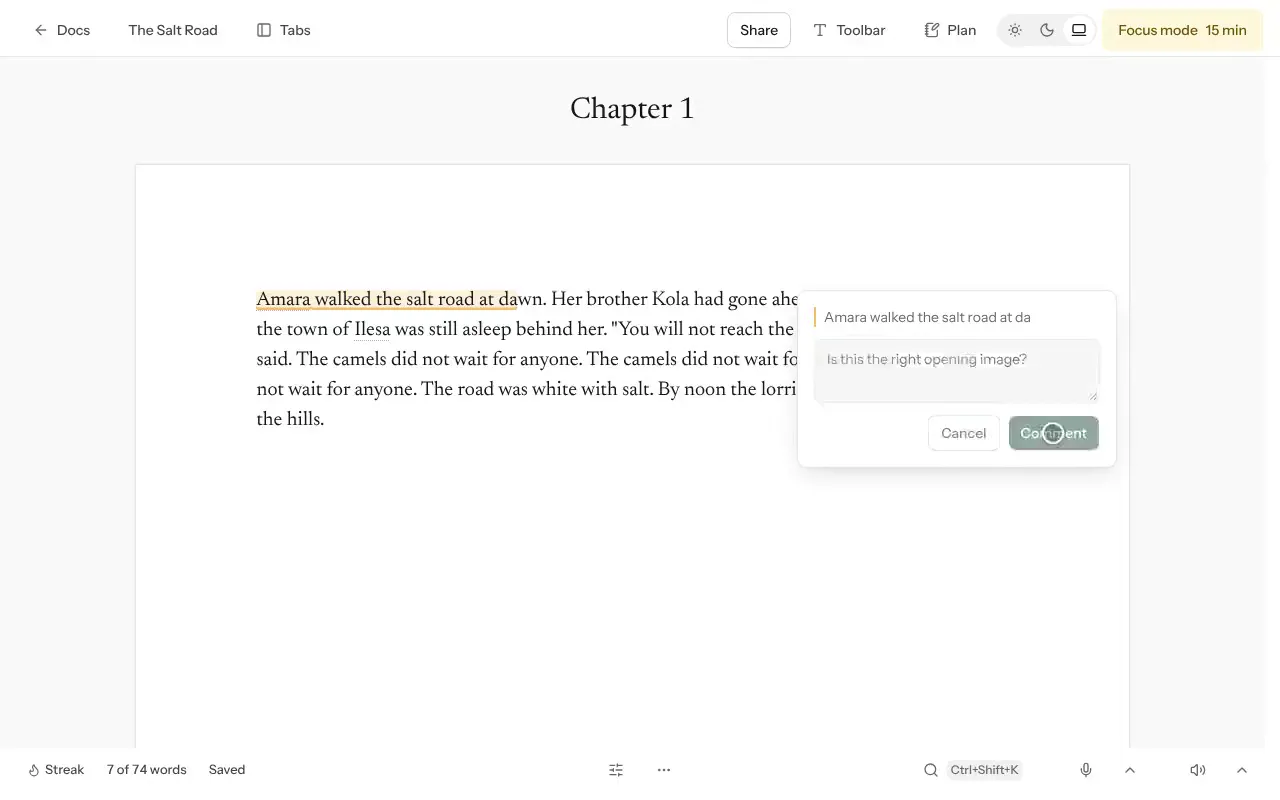
Leave a comment
Select the words you want to discuss.
Select Comment, write your note and select Comment to post it.
Others can Reply. Select Resolve when the discussion is finished.
Suggest an edit
Editors work in Suggesting mode. Their edits appear as suggestions rather than immediately replacing your text.
Type a change, or select words and replace them.
Use Accept or Reject for each suggestion, or Accept all or Reject all.
Good to know
- Select Hide resolved to focus on open comments.
- Your private notes stay private unless you turn on Share my notes as comments.
- Ask readers to use suggestions for wording changes and comments for broader questions.
Was this article helpful?