Import a document
Updated November 12, 2026 · 1 min read
Import writing from another app into Docs. Missa preserves formatting and comments where the file allows it.
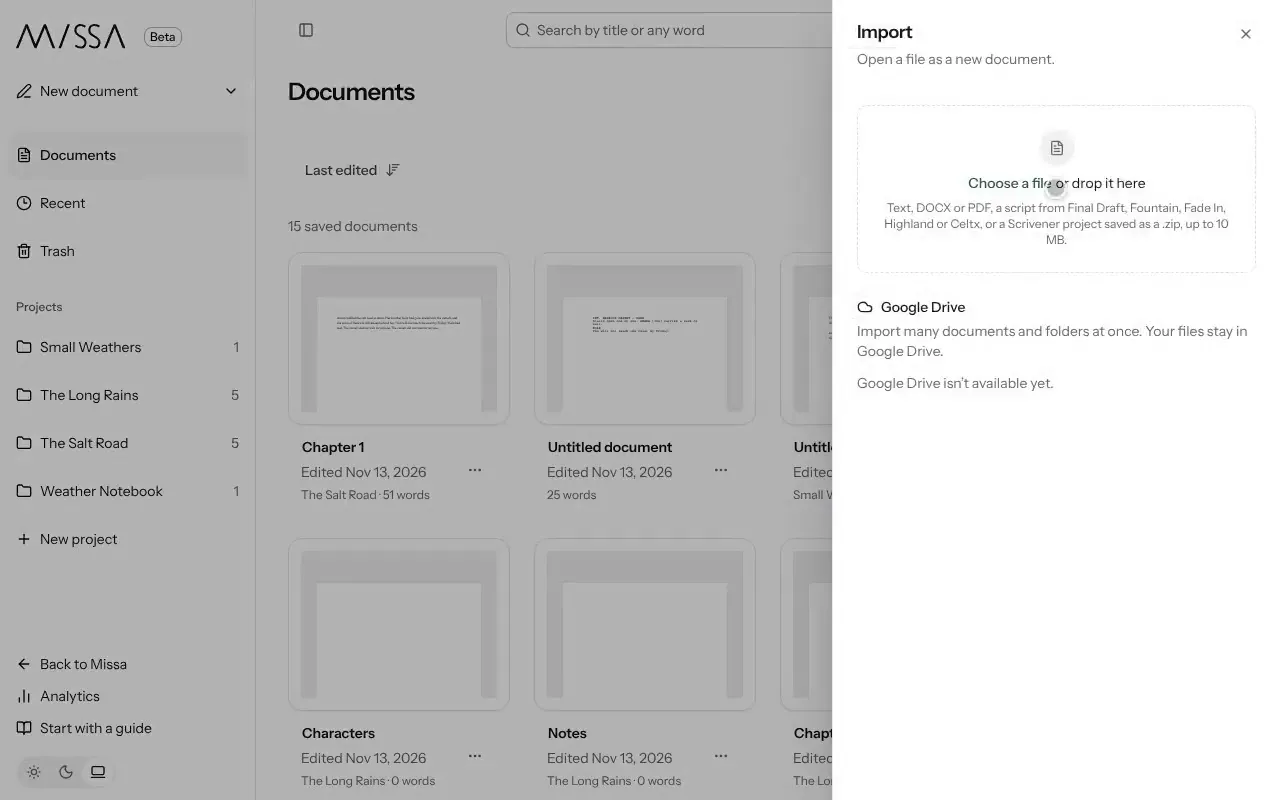
In Docs, choose to import, then select Choose a file.
Choose a text, DOCX or PDF file; a script from Final Draft, Fountain, Fade In, Highland or Celtx; or a Scrivener project saved as a .zip.
Review the result, then select Open document or Open project.
Before editing
Check the headings, formatting and comments after import. If you need old drafts, bring them in as separate documents rather than replacing the current version.
Good to know
- Files can be up to 10 MB.
- Word comments are imported as comments where possible. If Missa can’t import them, it tells you and still imports the text.
Was this article helpful?