Share a reader link
Updated November 12, 2026 · 1 min read
Create a reader link to share a document with someone who isn’t part of your project. They can read it and suggest changes.
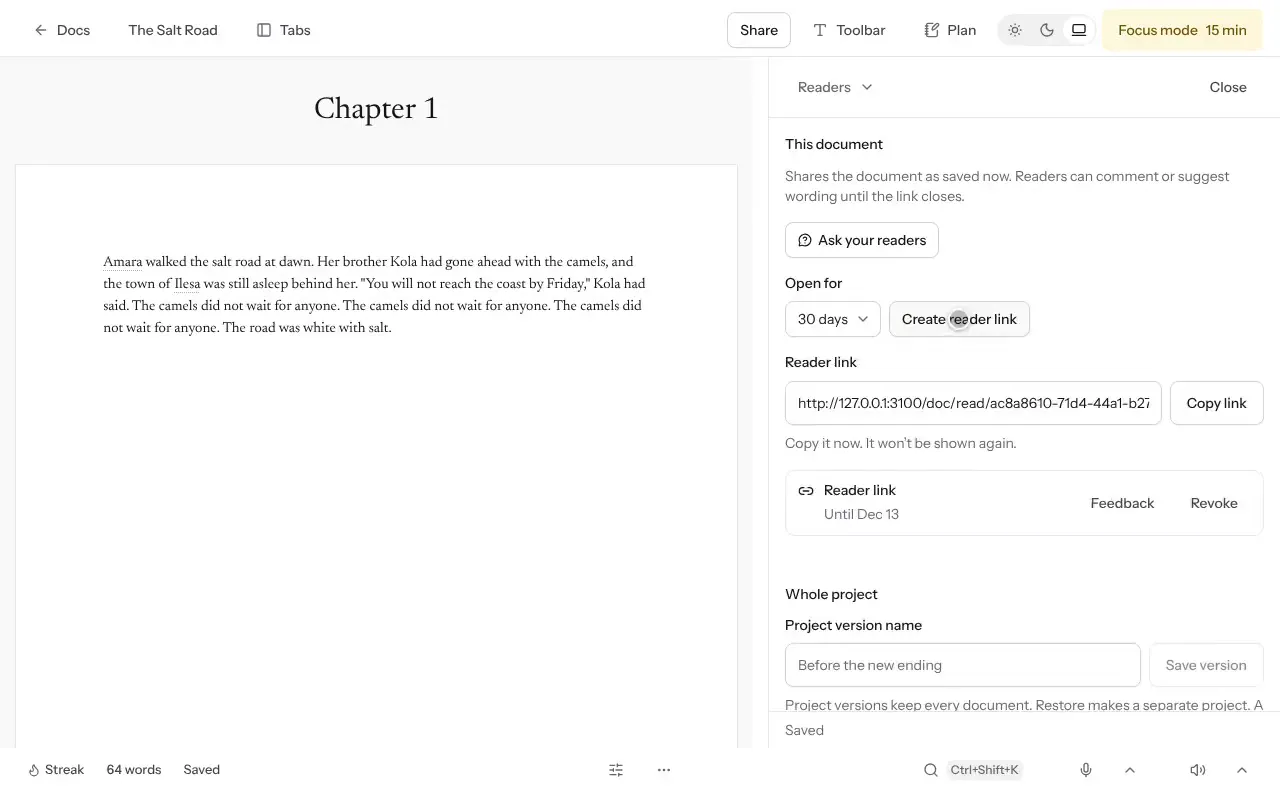
Open the document, then select Plan and Readers.
Select Create reader link. Add A note to your readers if you want to ask for particular feedback.
Copy the link and send it.
What readers receive
The link shows the document as it was when you created the link. It expires after 30 days. Readers must log in to leave comments or suggestions, which come back to you.
Make a new link after a major revision if you want readers to see the updated text. Reader links work only after the document has been saved to your account.
Was this article helpful?