Find and replace
Updated November 12, 2026 · 1 min read
Find a word or phrase in a document and replace one occurrence or all of them.
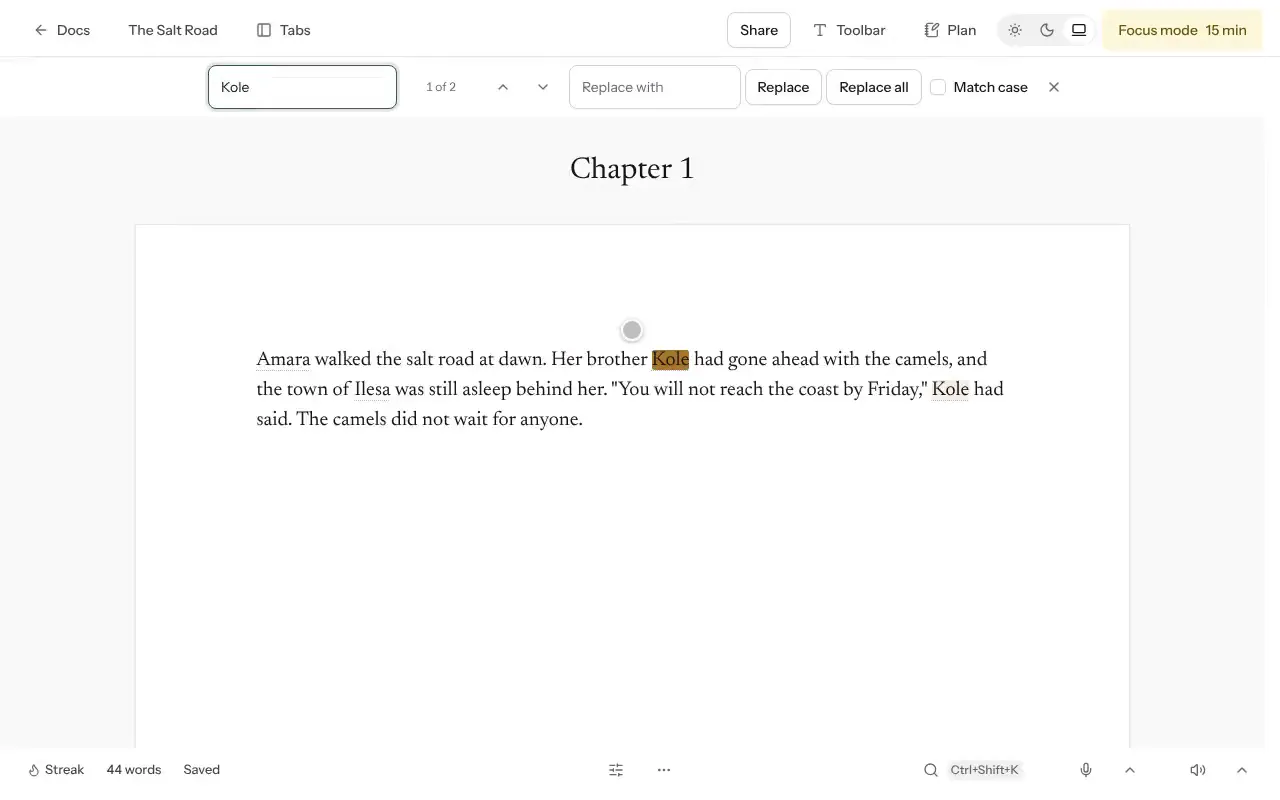
Open the document and press Ctrl+F (⌘F on a Mac). You can also choose More, then Find and replace.
Enter the text to find. Use Next match and Previous match to move between results.
Enter new text under Replace with, then replace one match or all matches.
Before replacing throughout a project
Turn on Match case if capitalization matters—for example, when changing a character’s name. Name a version before making a large change so you can compare it with the result.
In a project, Missa can replace across the whole manuscript and saves a version before doing so.
Was this article helpful?