Write poems and build a collection
Updated November 12, 2026 · 2 min read
Write a single poem in a blank document, or gather poems into a collection that you can order, shape and send as a chapbook or a book.
Write a poem
In Docs, select New document, then Blank document.
Replace Untitled with the poem’s title.
Write. Press Enter to start a new line, and leave an empty line between stanzas.
Docs keeps your line breaks and stanza breaks as you set them.
Start a collection
Select New document, then Poetry collection.
Give the collection a Title and select Create project.
Open Untitled poem and write the first poem.
Each poem is its own document. To add one, open the collection and select New document. To bring in poems you already have, open a poem’s menu in Documents and select Move to….
Order the collection
Select Plan while you write.
- Outline lists the poems in order. Select one to open it, or show it beside the page.
- Corkboard shows each poem as a card. Drag the cards until the order is right.
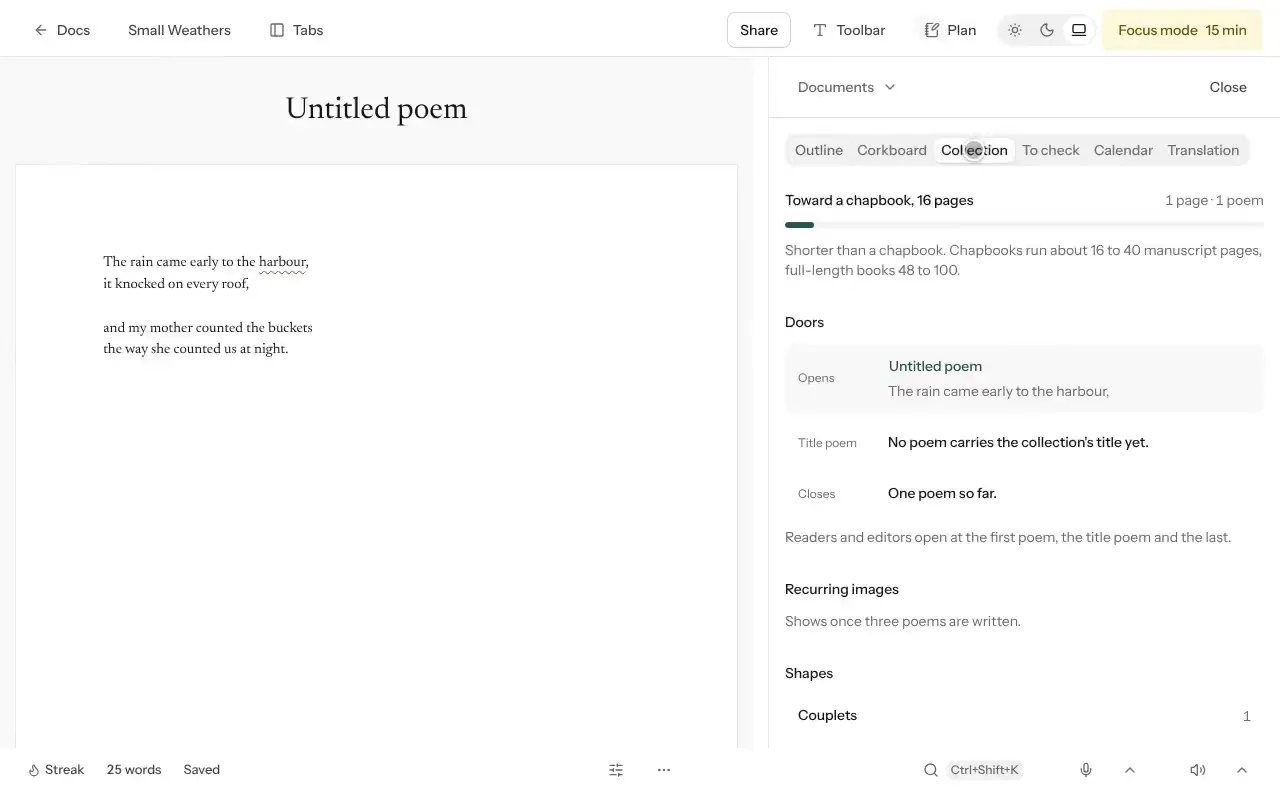
- Collection shows how many manuscript pages the poems fill, measured against a chapbook of 16 to 40 pages and a full-length book of 48 to 100.
Collection also shows the poems readers meet first. Under Doors you’ll see the poem that opens the book, the title poem and the poem that closes it. Recurring images lists the words that return across many poems, once three are written. Shapes sorts the poems by form, such as couplets, quatrains, sonnets and prose poems. Order points out poems that still have no title.
Revise
- Type TK in a line you need to come back to. To check collects every TK in the collection.
- Read aloud reads the poem back to you, so you can hear where a line breaks.
- In Plan, switch to Revise, then select Word habits to see the words you lean on across the collection.
Send poems out
- Readers creates a reader link, so another poet can read the collection and leave notes.
- Submit keeps a record of each call you send to. Select Add a submission, note what the call asks for, and Missa counts your poems against it.
- Export downloads the Whole manuscript with the poems in your order.
Good to know
- A collection is private until you share it.
- Focus mode hides everything but the page for a set time.
- To send a single poem, open it, then use More and Export….
Was this article helpful?