Write with others
Updated November 12, 2026 · 1 min read
Share a project with collaborators so they can write, review or read it in Missa. Each person needs a Missa account.
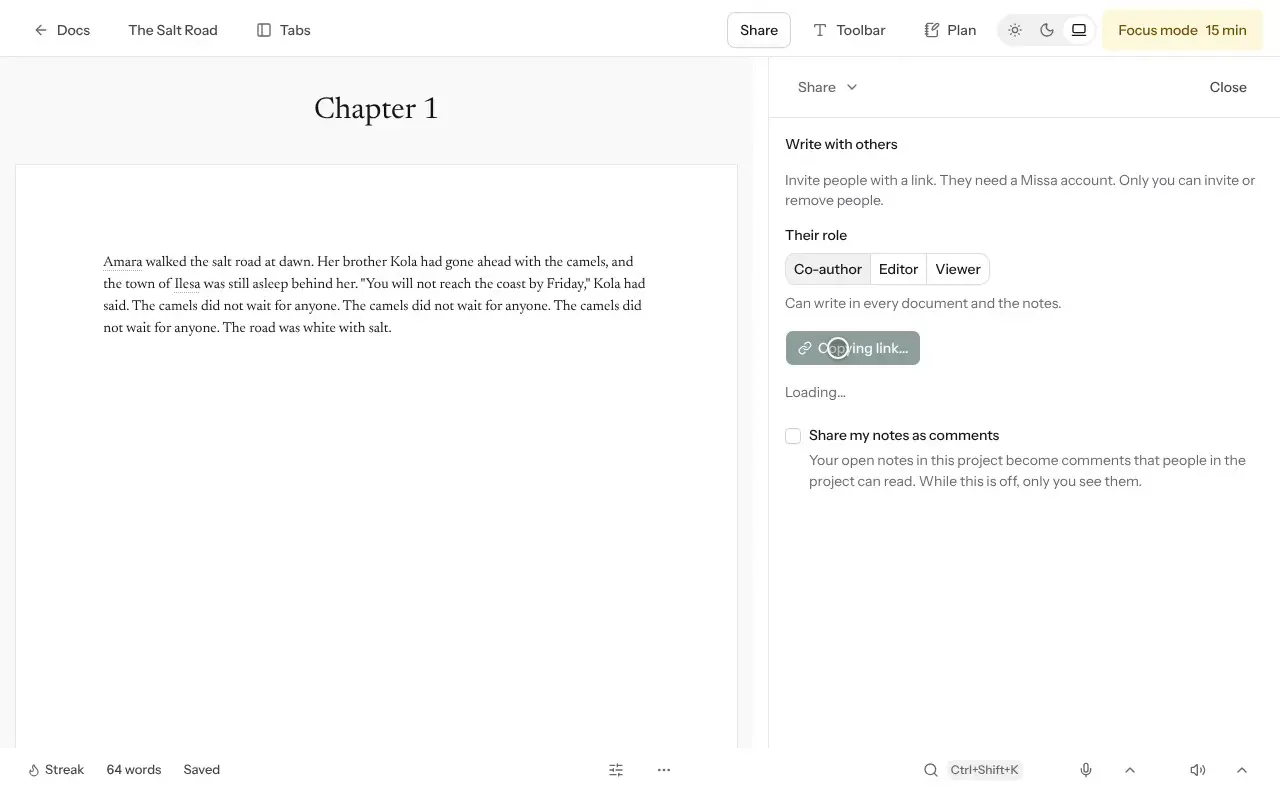
Open the project and select Share.
Under Their role, choose:
- Co-author to write in documents and notes.
- Editor to read and leave comments or suggestions.
- Viewer to read without editing.
Select Copy link and send it to the person you’re inviting.
Give collaborators the access they need, and agree who will work on which parts of the manuscript.
Good to know
- Only you can invite or remove people.
- Here now shows who has the project open.
- Select Withdraw invite to cancel an unused invitation.
- If someone leaves, their writing and comments remain in the project.
Was this article helpful?